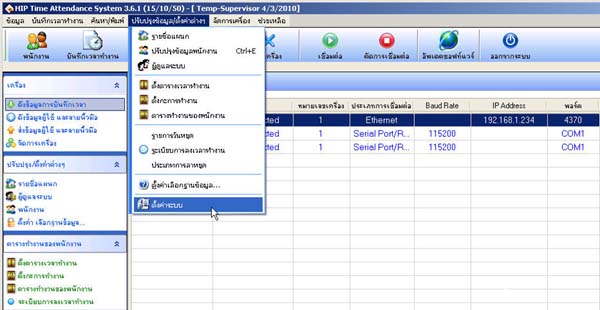
How to Access the Employee Photo Display Menu Go to the System Settings menu Select Operation Settings and Display Then check the checkbox next to Show Employee Photo and click OK The menu to display employee photos will appear