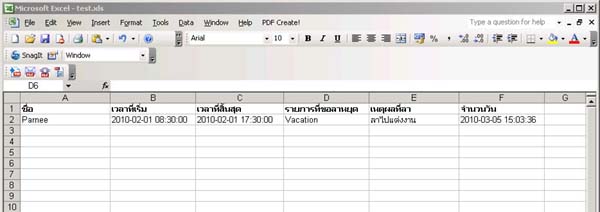
How to Enter Leave/Holiday Days for Employees
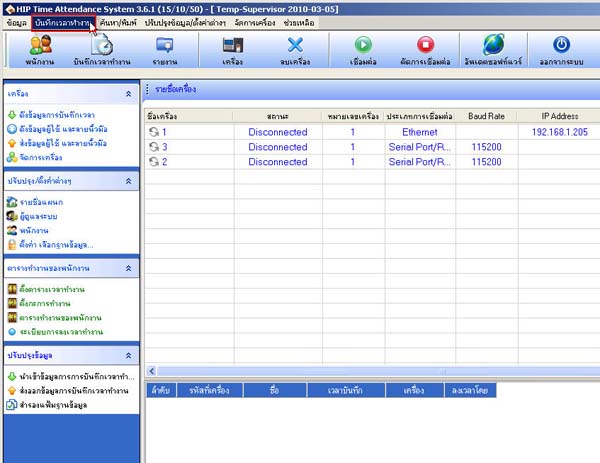
- Go to the Work Time Record menu
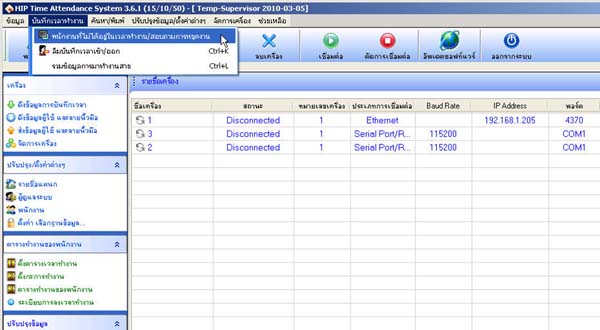
- Select Employees Not Present During Work Hours/Inquire About Leave
- Select the employee's department
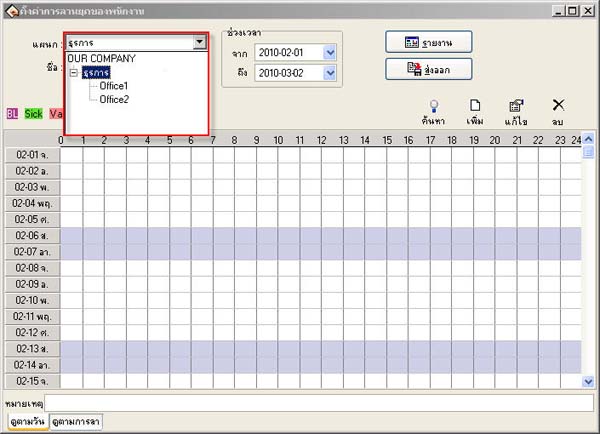
- Select the list of employees you want to add leave dates for
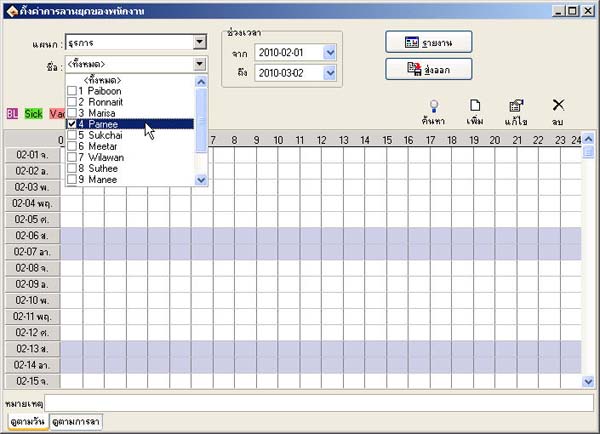
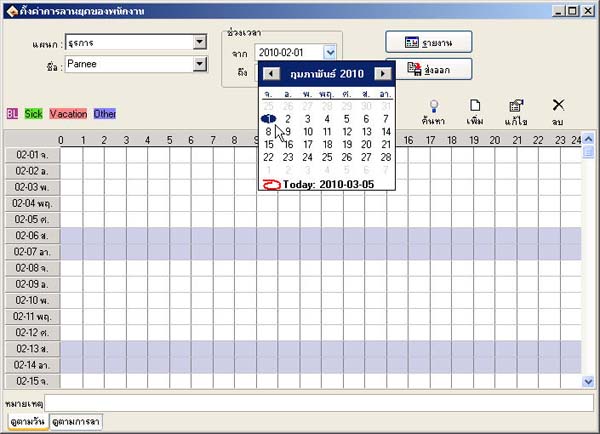
- Select the date that you want the employee to be on leave
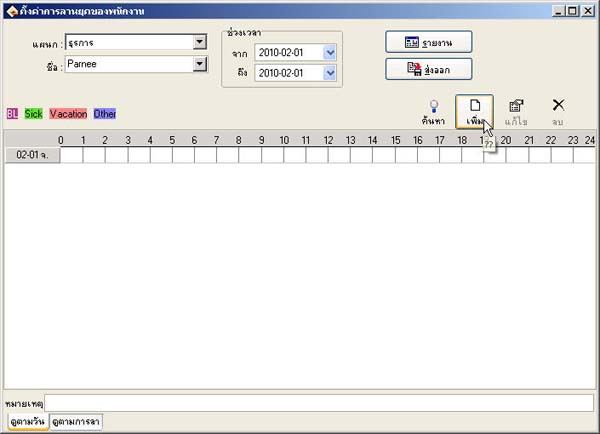
- Then click the Add button
- Enter the period and time of leave for the employee
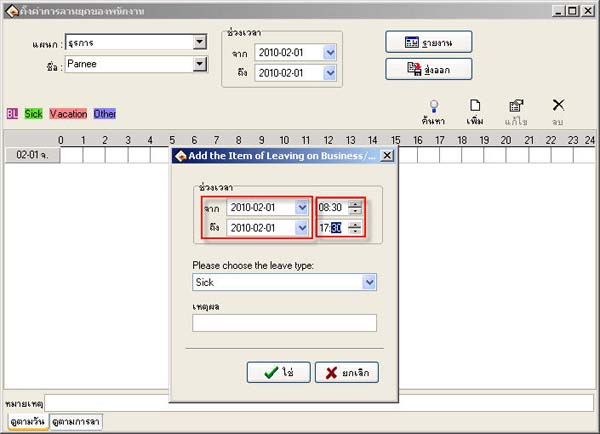
- Select the type of leave for the employee
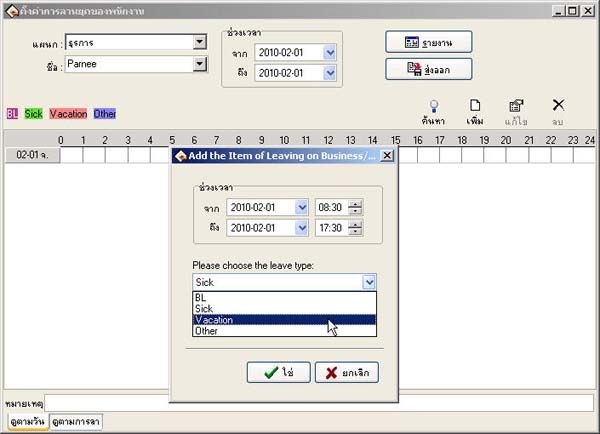
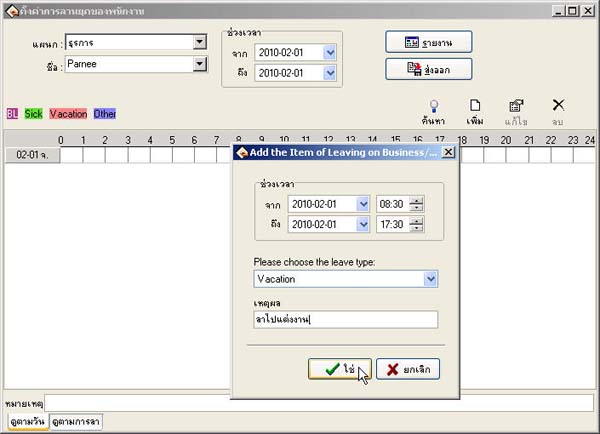
- Then enter the reason for the employee's leave and click the Yes button
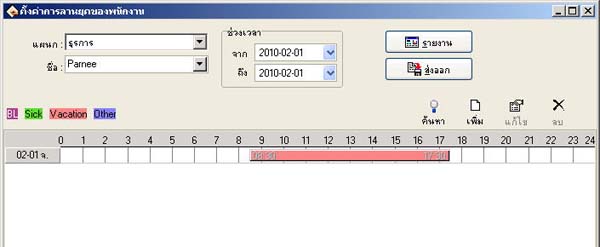
- The employee's leave date record will be displayed in this format
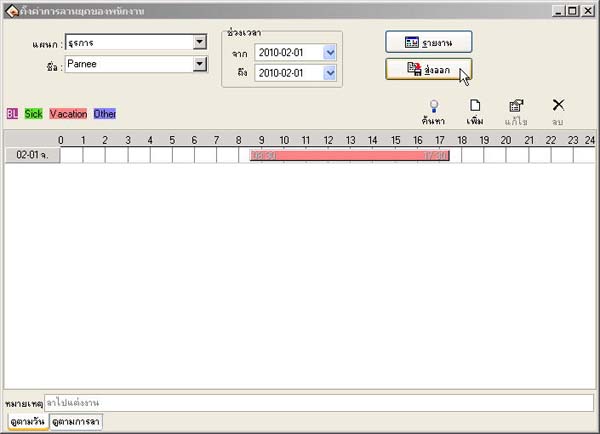
- If you want to export the report, click the Export button
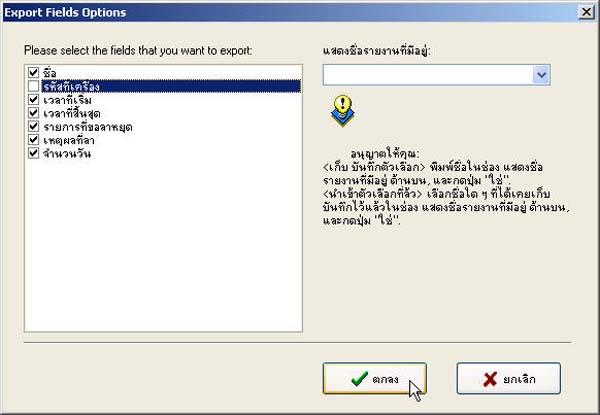
- In this dialog, select which topics you want to include. If you don't want a topic, uncheck the checkbox next to it, then click the OK button
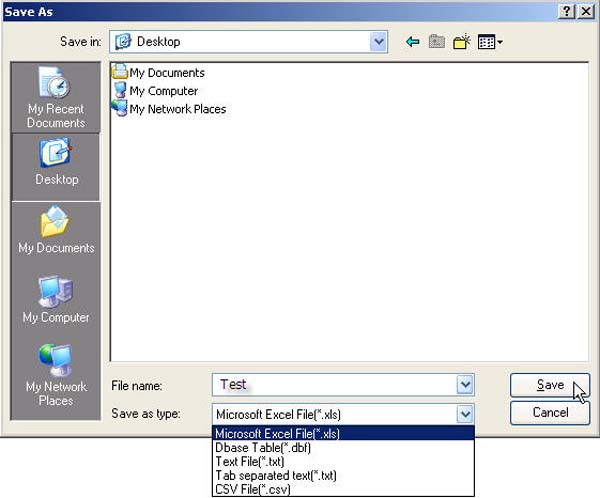
- Select the location and file you want to save, then click the Save button
- Then you will get the employee leave report