701 Client Program Configuration Procedures
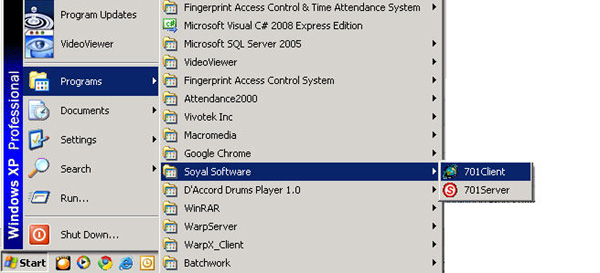
Click Select Start > All Programs > Soyal Software > 701 Client
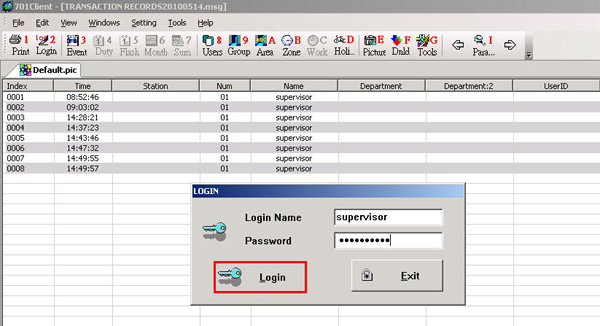
Enter username and password then click the Login button
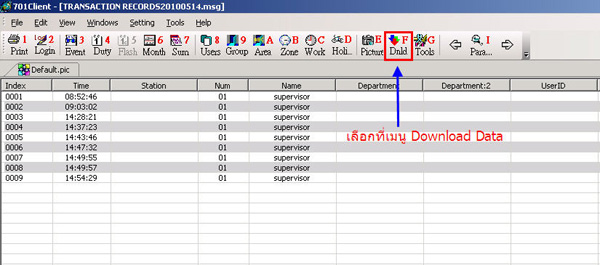
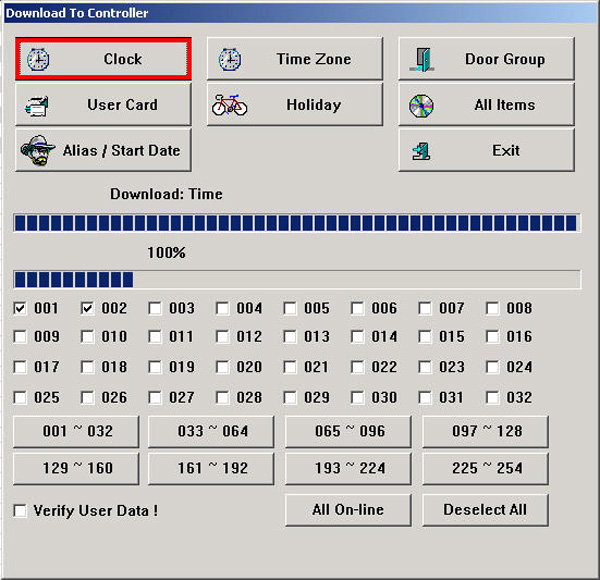
Select the Download Data menu
Select the device you want and set the time of the card reader to match
the computer by clicking the Clock button. When the data is sent, click the Exit button
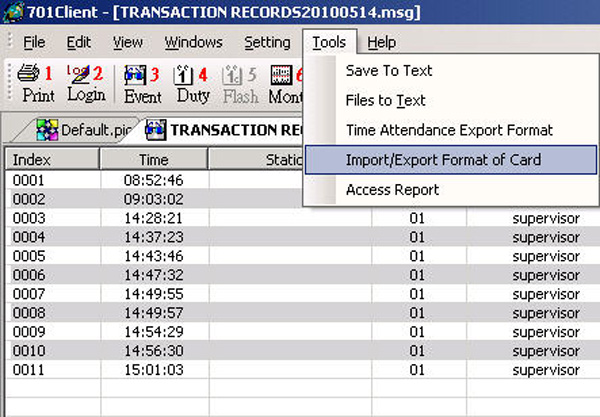
Select the Tools > Import / Export Format of Card menu
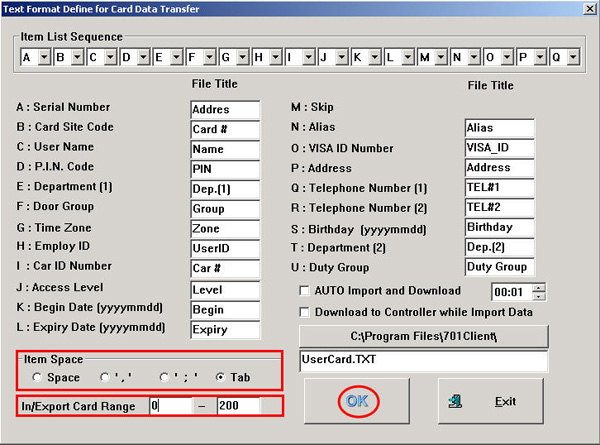
Go select Item Space and check the Tab section
then in the In/Export Card Range section, enter the starting card information
and the ending card, then click the OK button
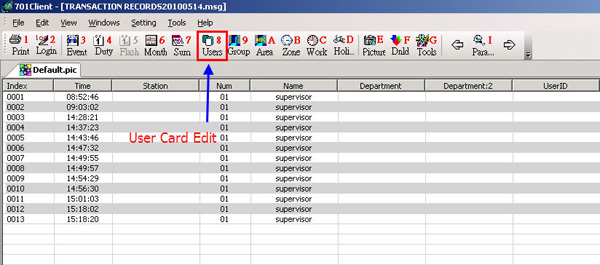
Then go to the User Card Edit menu
Click the Tool Box button and select the Read / write to 701 H section to extract card data from the scanner
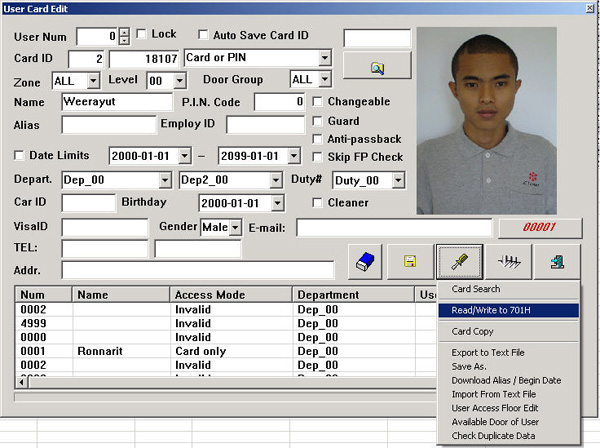
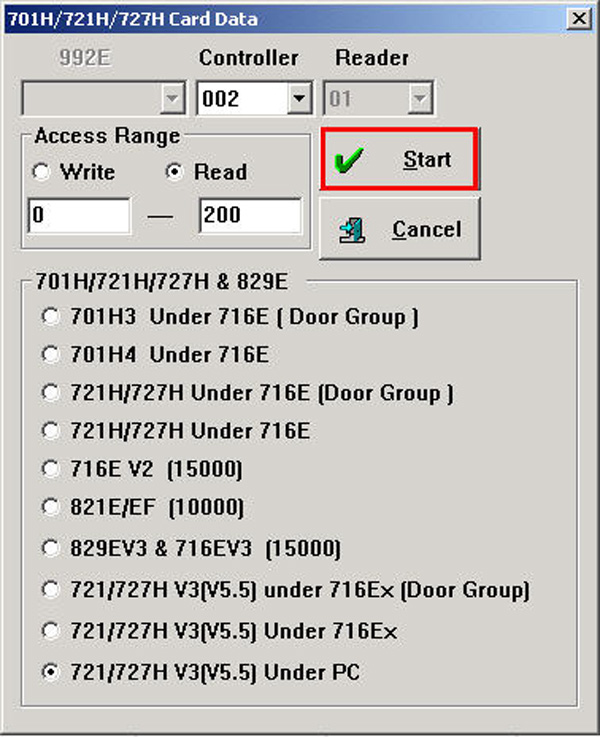
Select the scanner > Select 721/727 H V3(V5.5) Under PC > Read >
then enter the starting card you want to extract data from and the end of data extraction, then click the Start button