Adding User Group
How to Add User Group
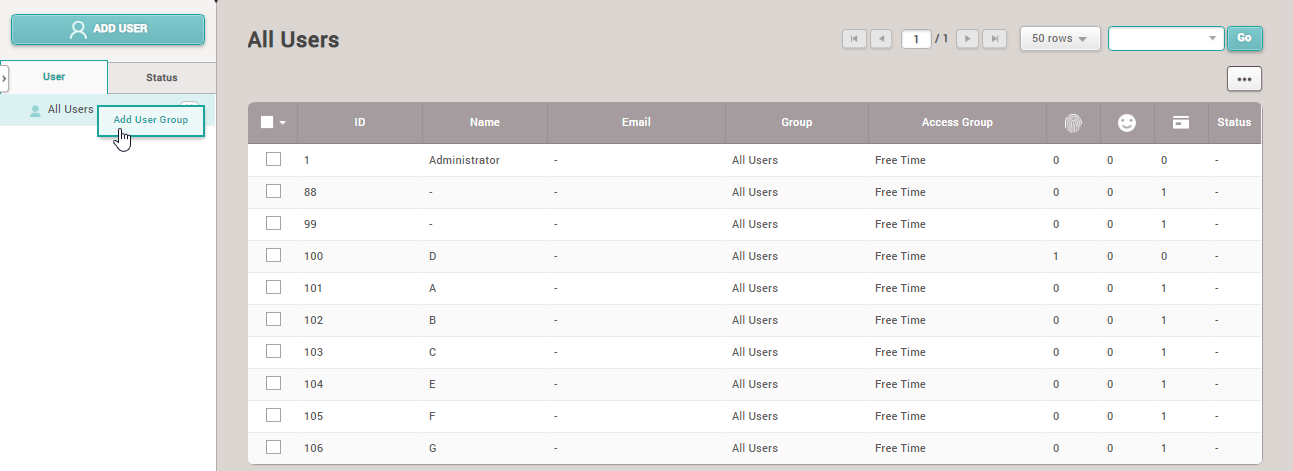
1.Right-click on All User then select Add User Group
Note: You can create a maximum of 8 levels of User Group and can enter a maximum of 48 characters for the User Group name
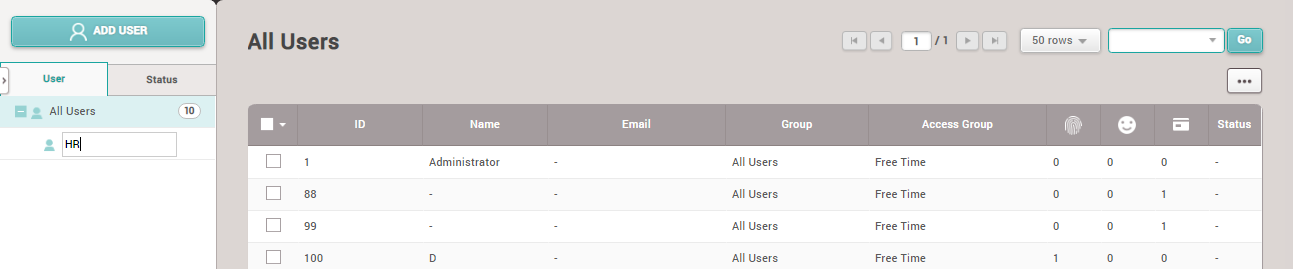
2.Enter the Group name
How to Add Employees to User Group
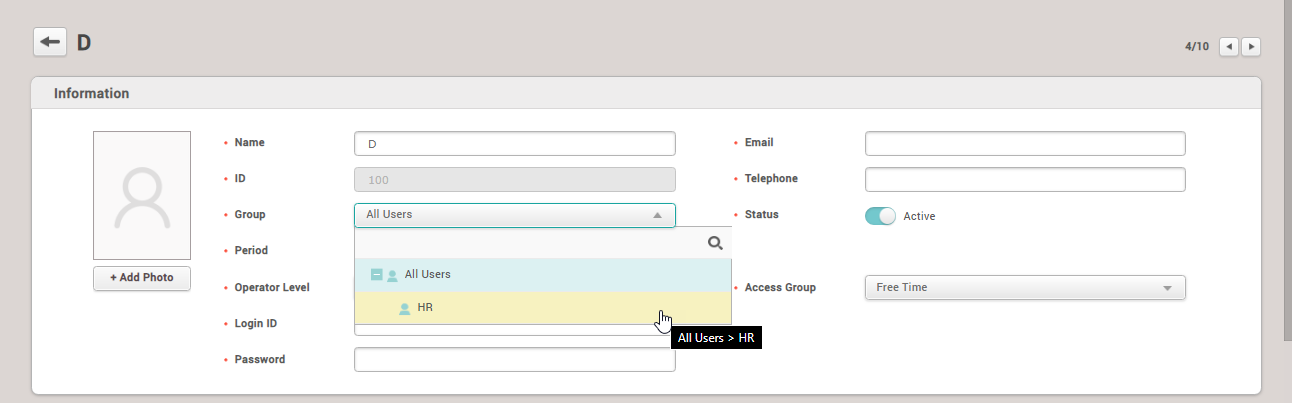
1.Click to select the employee you want to change the Group for
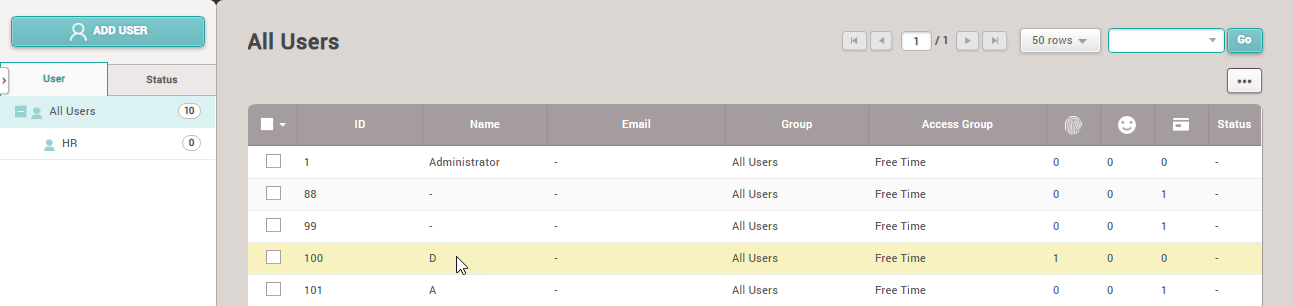
2. Click on the Group section and select the group you want to change to
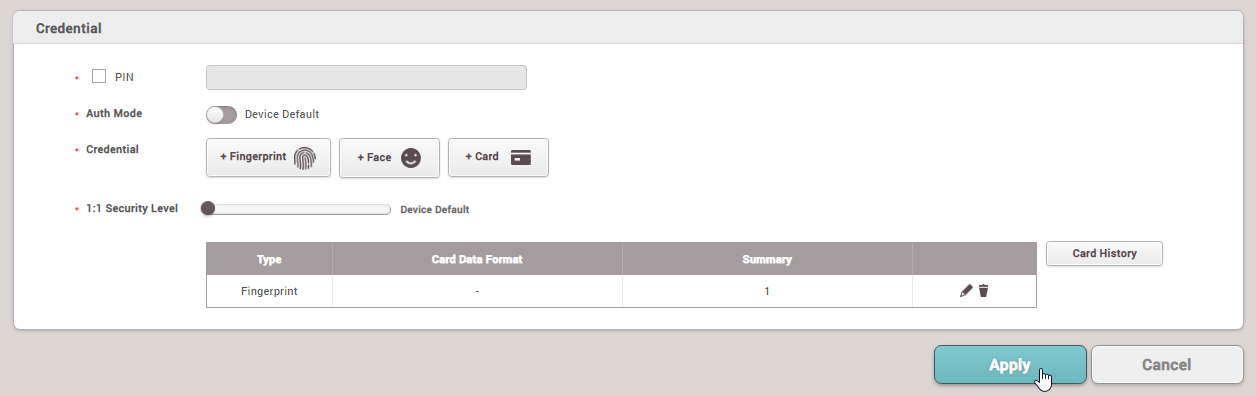
After selecting the group, click the Apply button
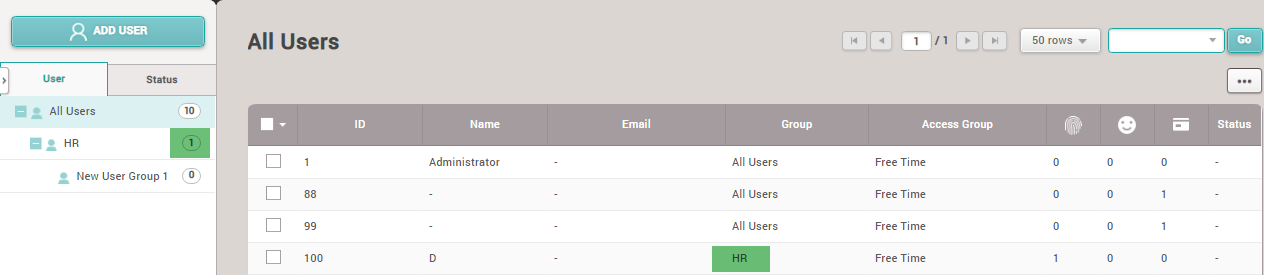
The program displays the details of the employee's user group change
How to Edit User Group Name
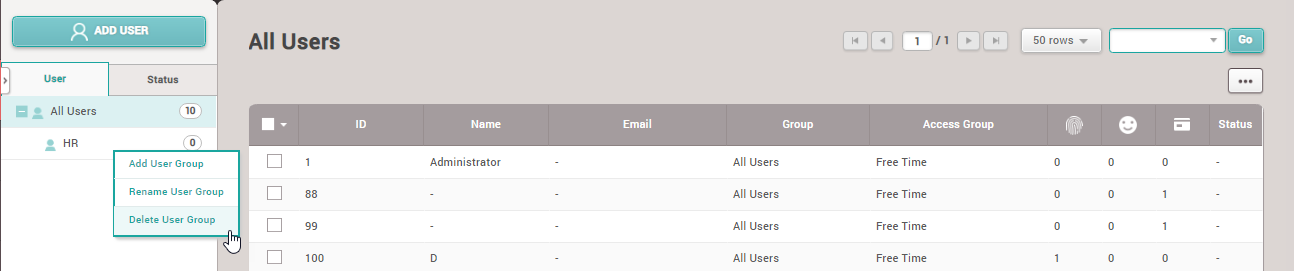
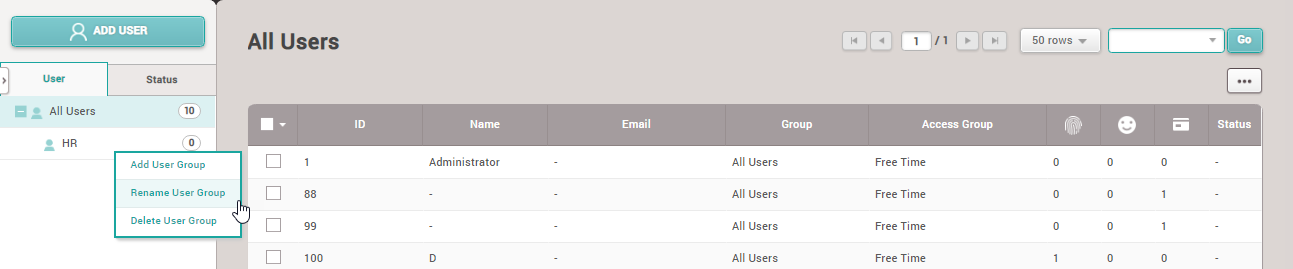
1.Right-click on the group name, select Rename User Group
How to Delete User Group
Right-click and select the Group you want to delete, then click Delete User Group
Note: You can only delete a Group if there are no users in the group being deleted