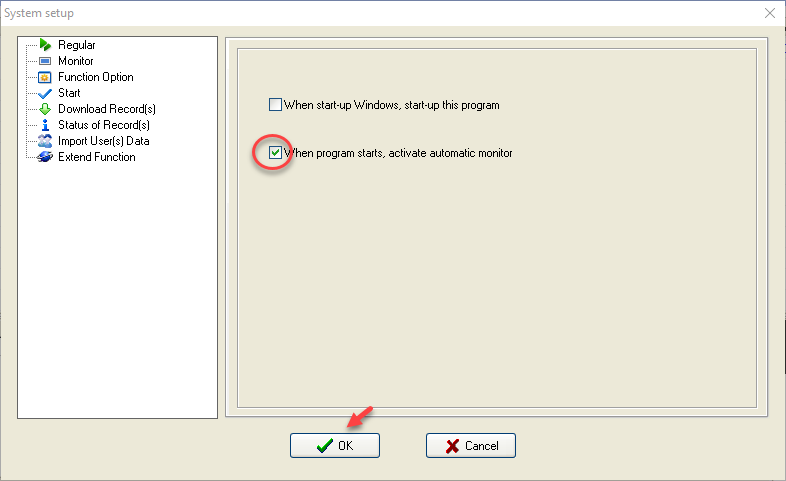
Configuring Automatic Scanner Connection Settings
1. Select the Maintenance/Option > System Options topic to enter Software settings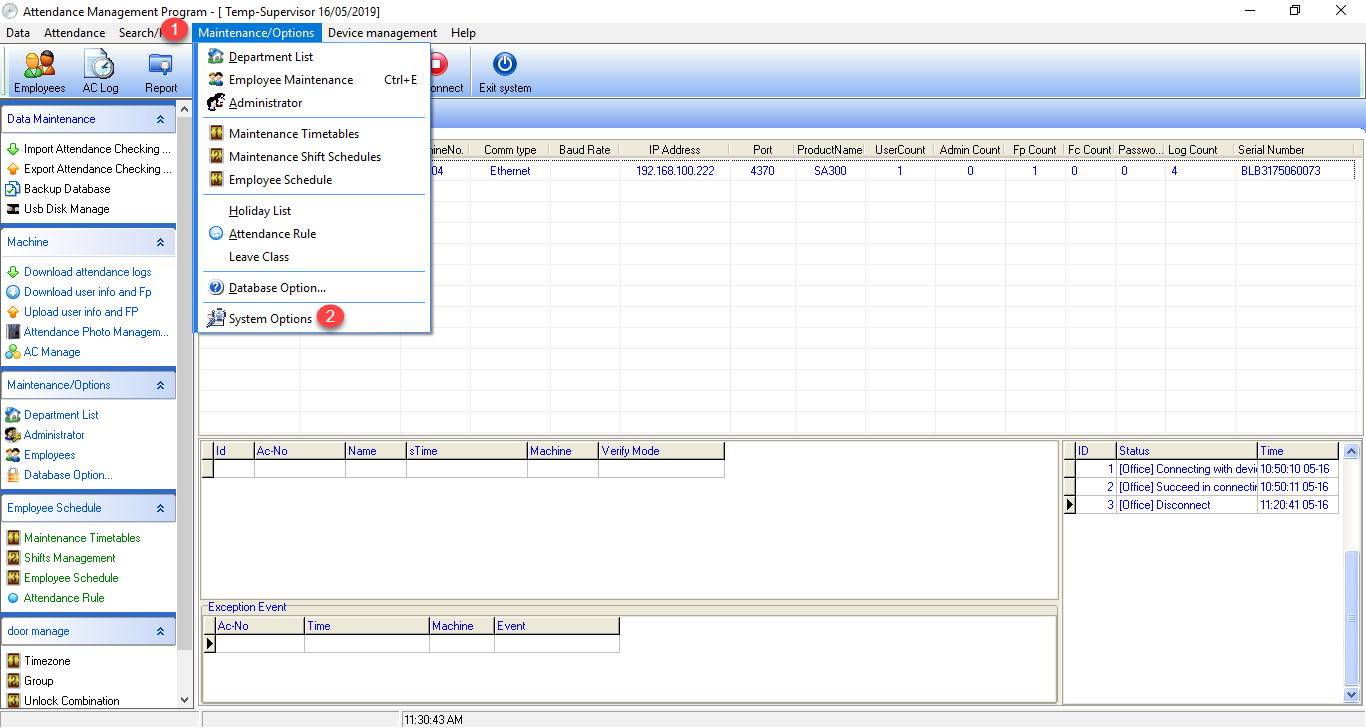
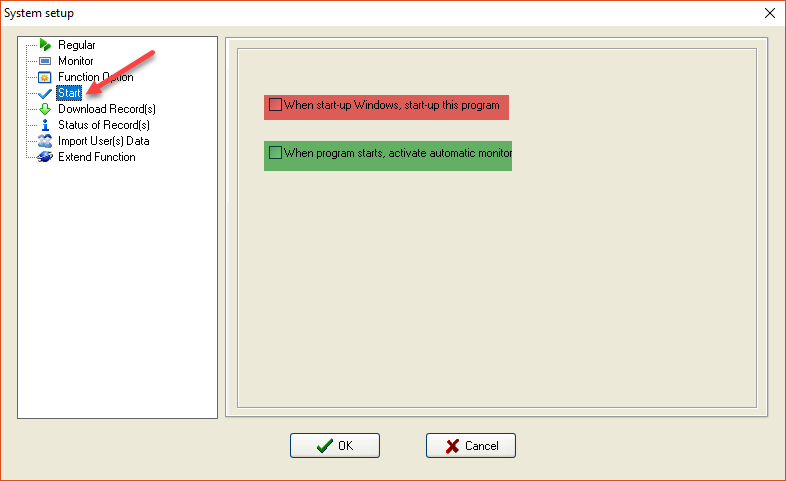
2. Select the Start topic, the system will display the configuration details of 2 topics as follows
1. Red box is when you turn on the computer, open the Attendance Management program
2. Green box is when you enter the Attendance Management program, connect to the device automatically
3. Check the checkmark next to When program starts, activate automatic monitor so that every time the program is opened, the software will automatically connect to the device