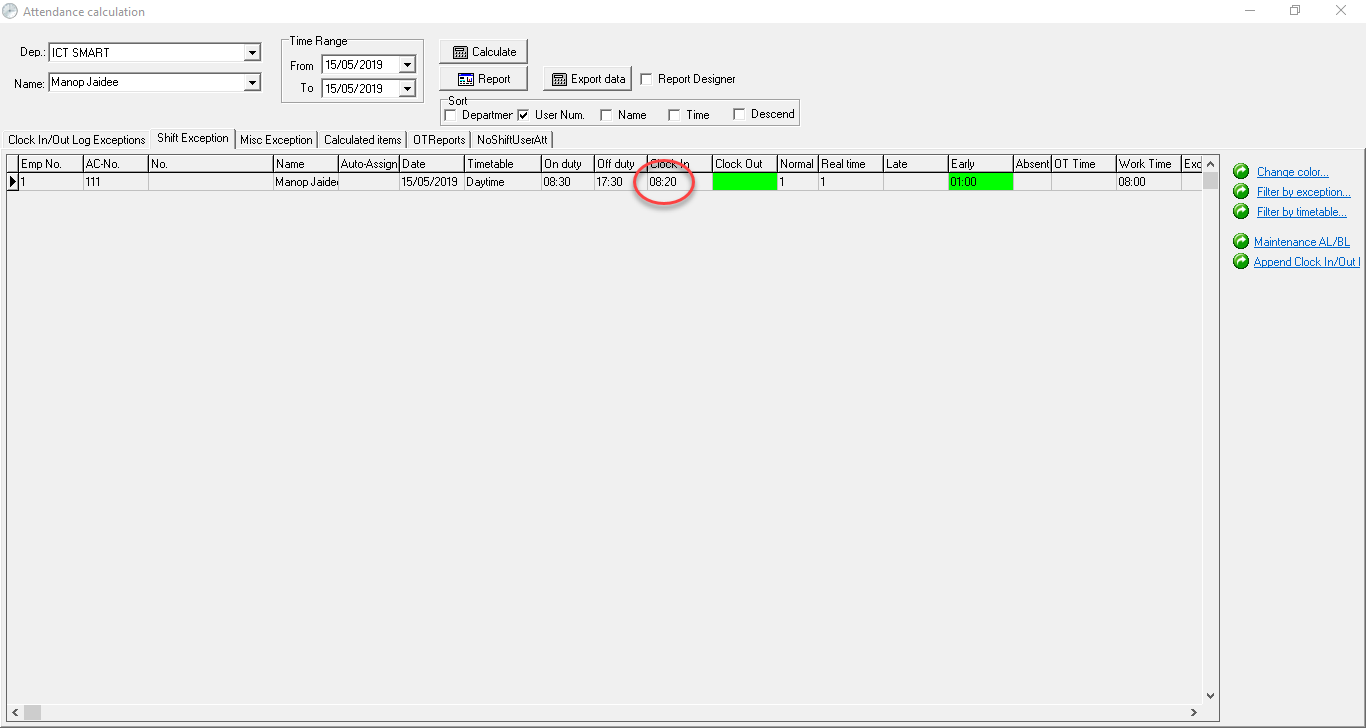
Employee Time Clock Forgotten Entry
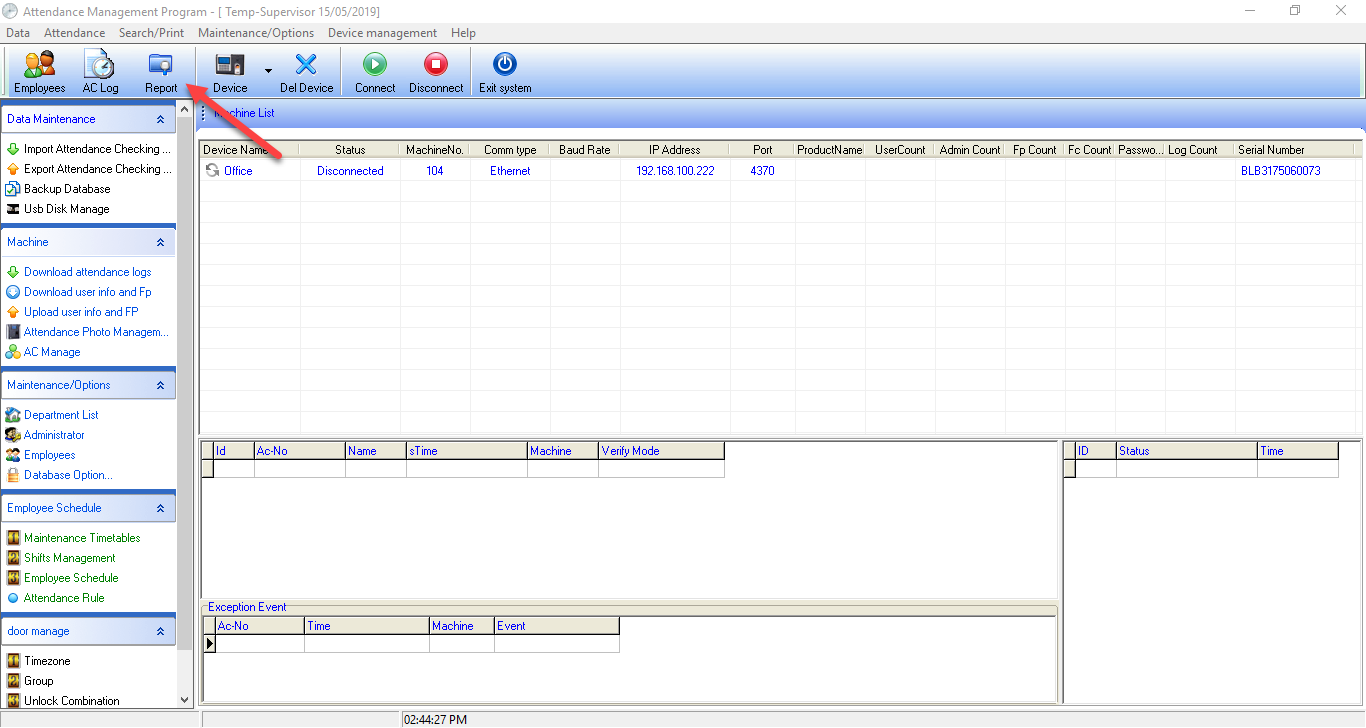
Select from the Report menu
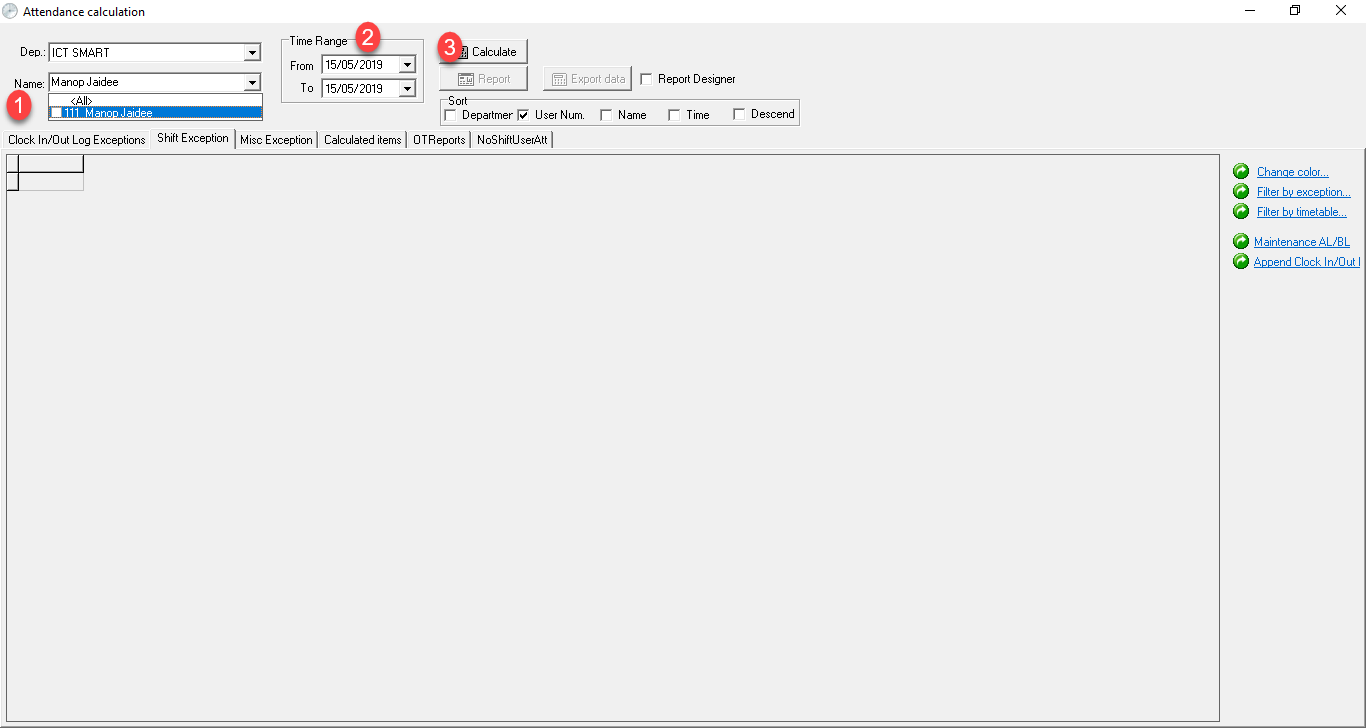
1. Select the employee list 2. Select the date that the time entry was forgotten 3. Calculate to verify
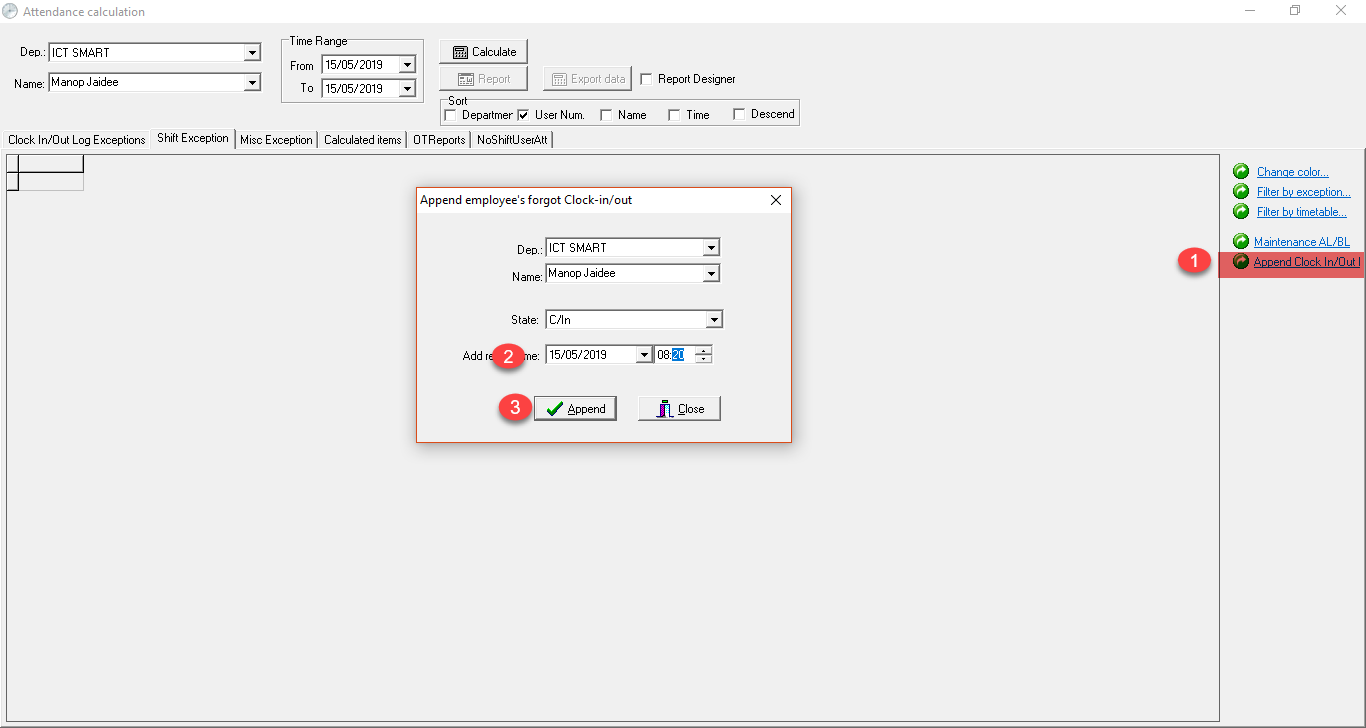
1. Select the Append Clock In/Out menu to enter time data 2. Select the time period 3. Press the Append button to confirm
When the settings are complete, the data will appear according to the settings