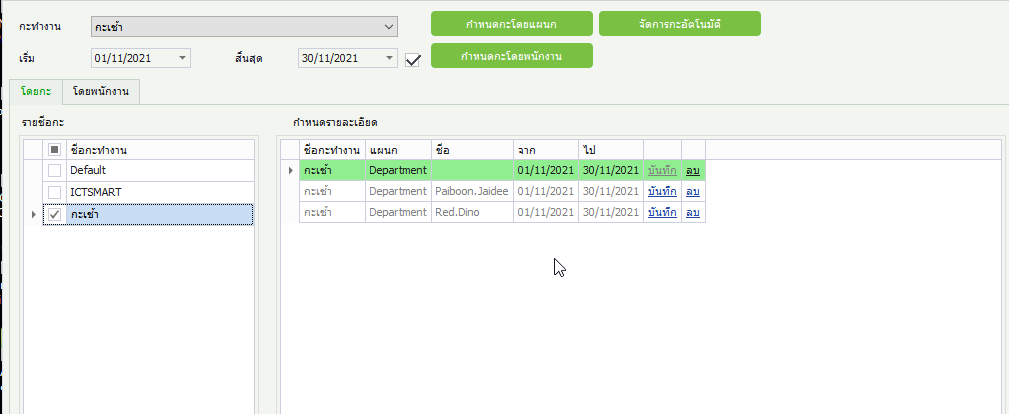
Employee Work Schedule Configuration Method
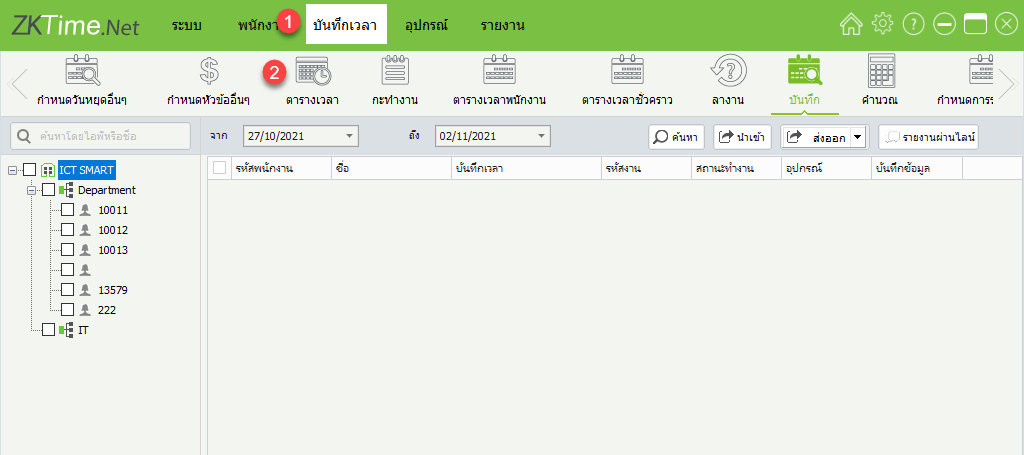
1. Click on the Time Recording > Schedule menu to create working hours
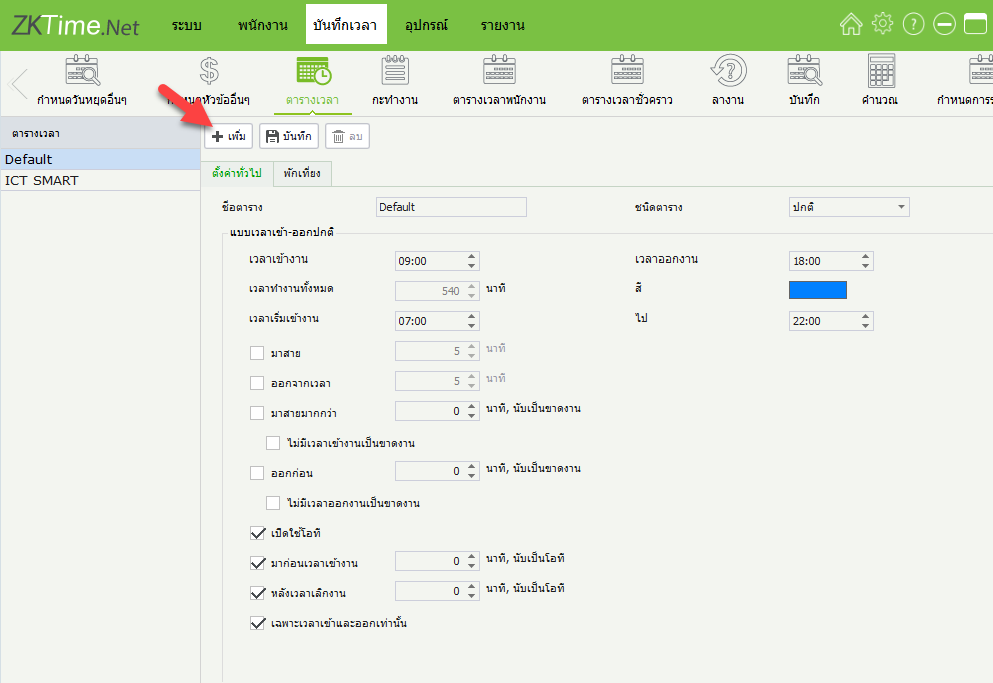
2. Click + Add to set working hours
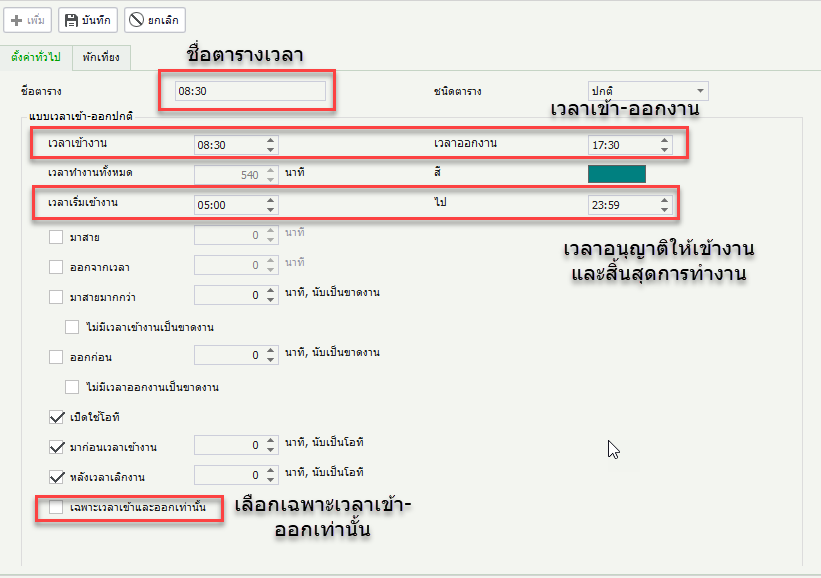
3. Schedule details, then click Lunch Break
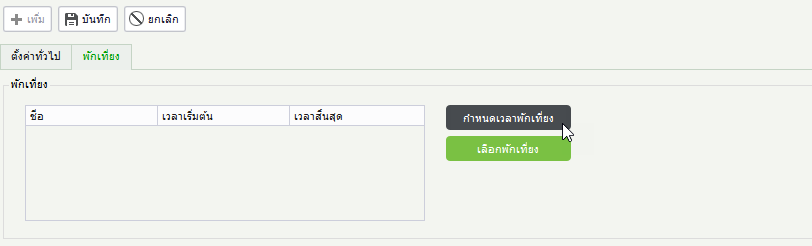
4. Click Set Lunch Break Time
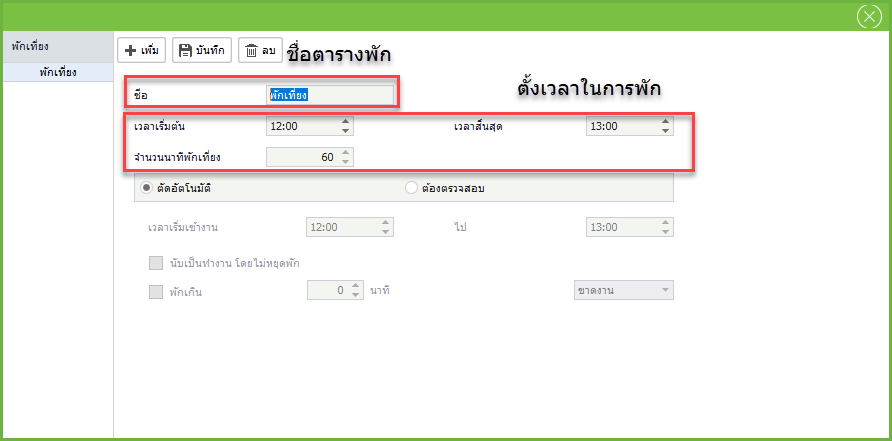
5. Click + Add to set break time, then click Save
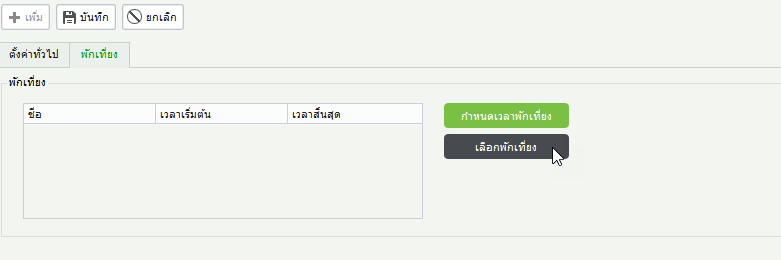
6. Click Select Lunch Break
7. Click Select the preset break time period and then click OK
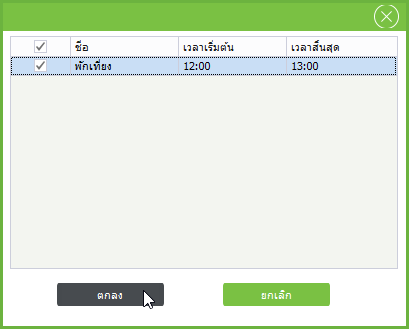
8. The program displays the break time period, then click Save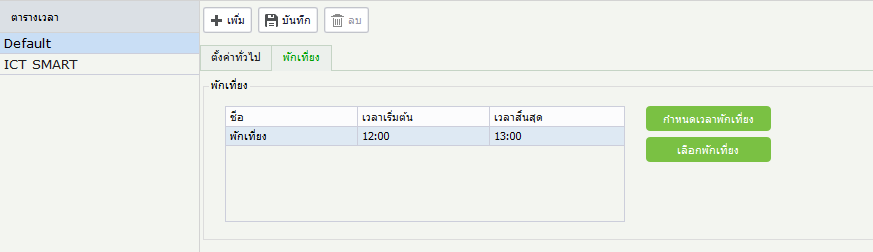
9. Click Work Shift > + Add to input the time into work dates
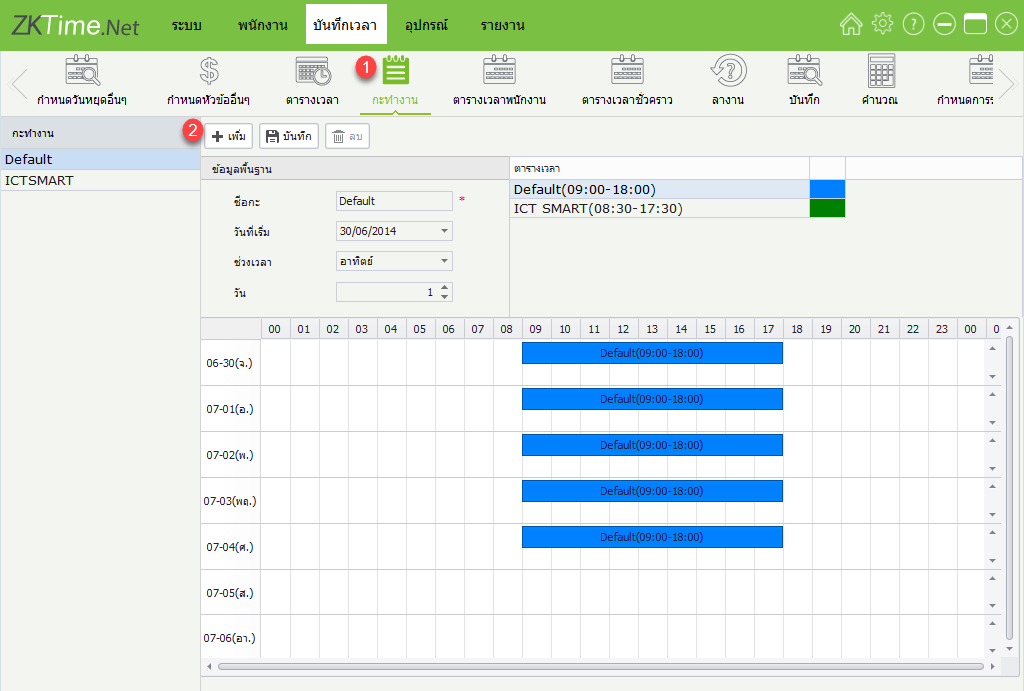
10. Fill in the details: shift name, start date, time period, and select details as Day, Week, then drag the schedule to place it according to the work dates and click Save
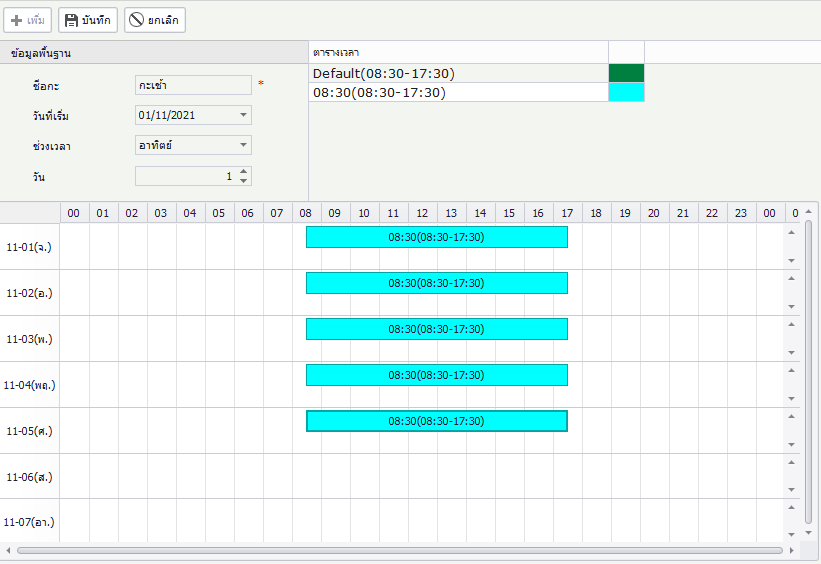
11. The program displays the work shift setup completion
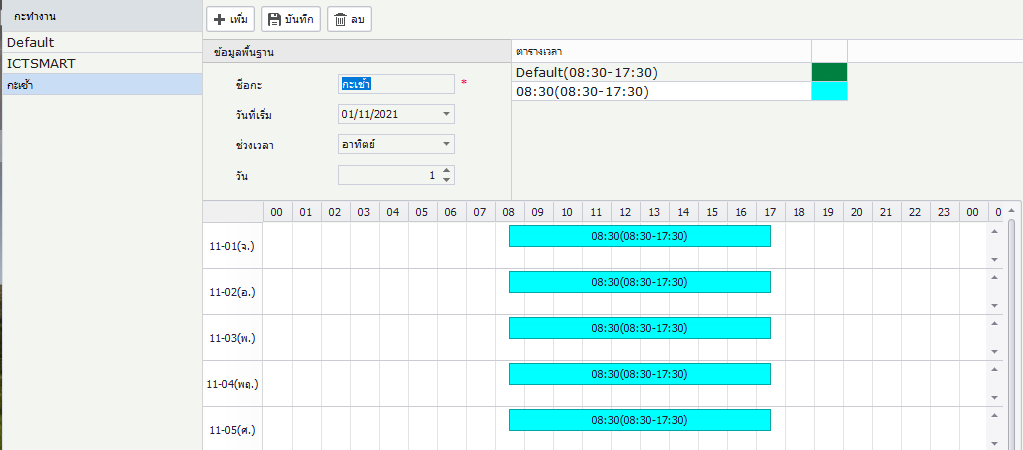
12. Click Employee Schedule to assign the work shift to employees
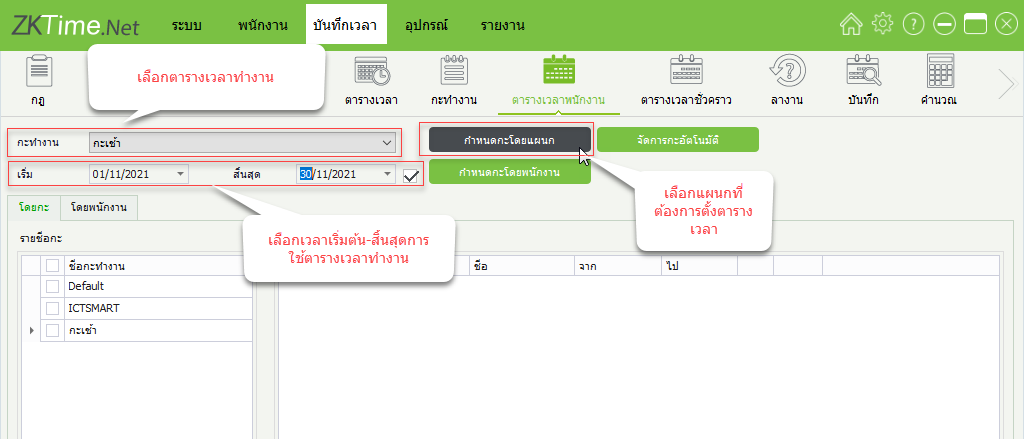
13. The program displays the work shift and shows a list of employees currently using the work shift