How to Add Employees
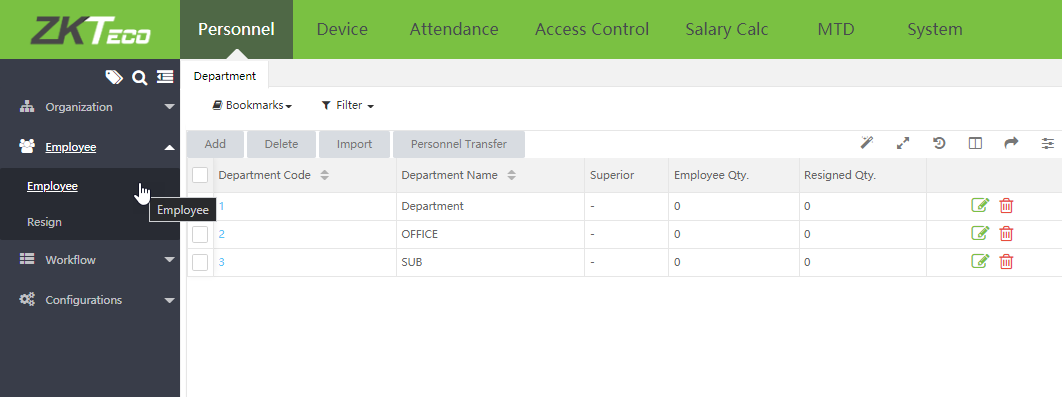
1. Go to Personnel menu and then select Employee
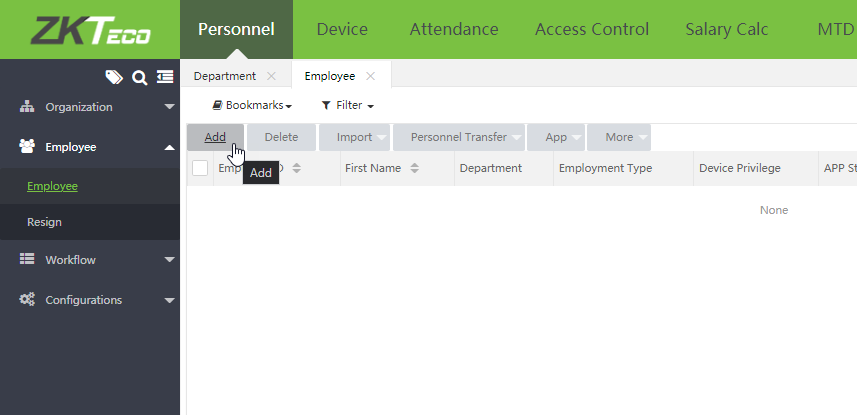
2. Click Add to add an employee
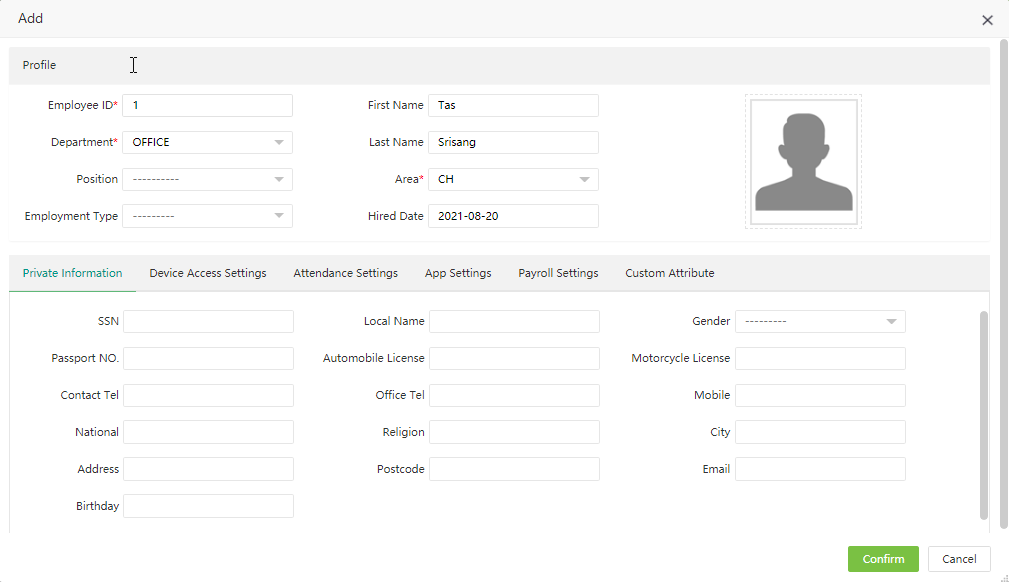
3. Enter employee details and then click Confirm
1. Go to Personnel menu and then select Employee
2. Click Add to add an employee
3. Enter employee details and then click Confirm