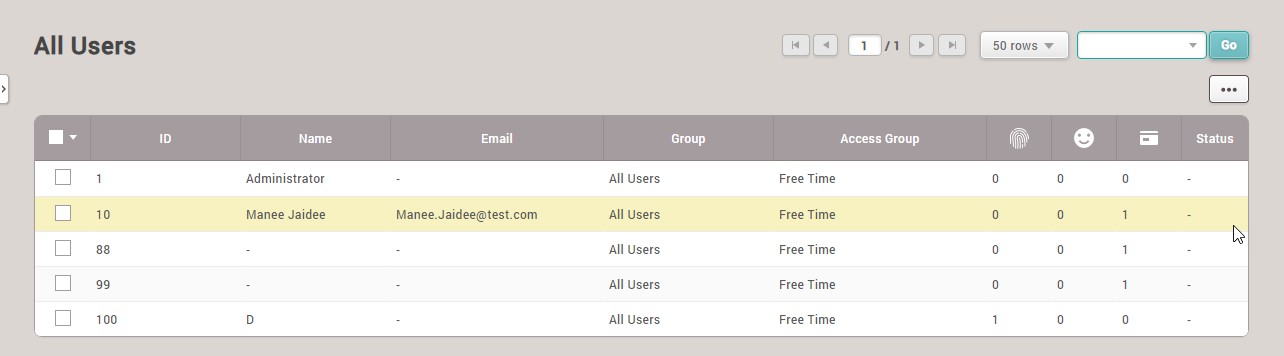
How to Add Employees to the System
1. Select the User menu > Add User to add an employee to the scanner device
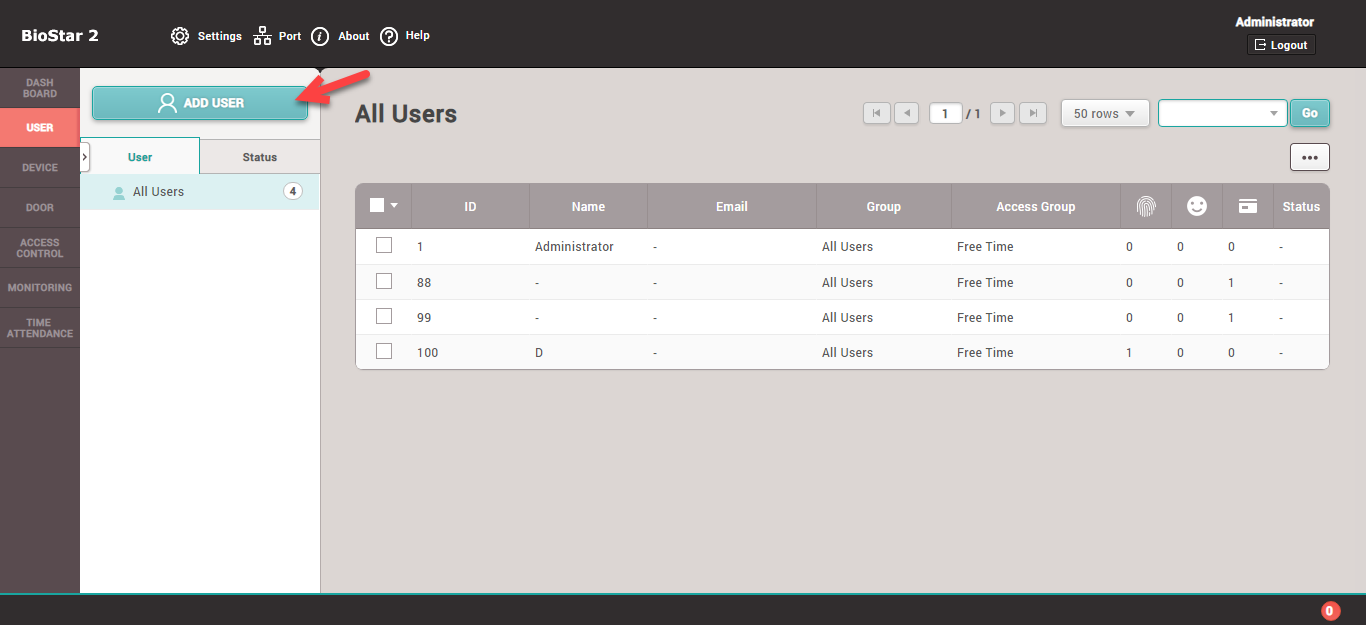
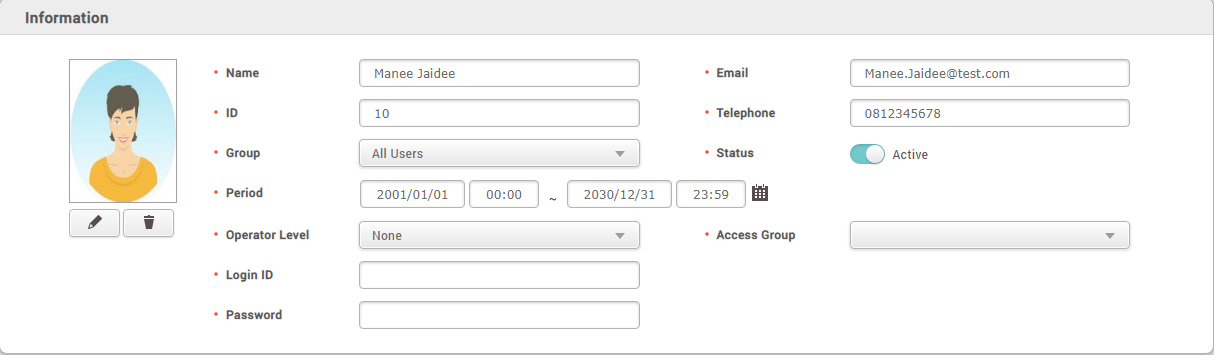
2. The program will display a menu to enter employee details, which is divided into 2 sections
2.1 Employee details section
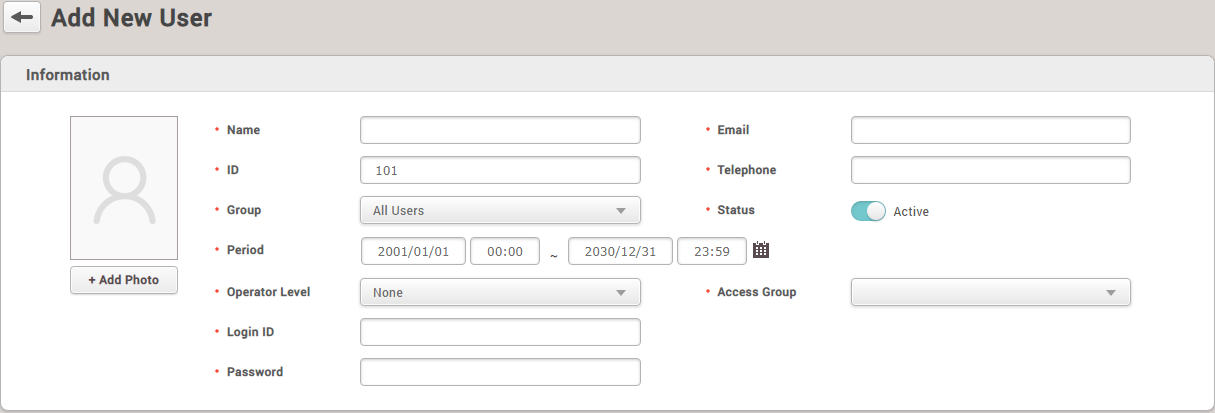
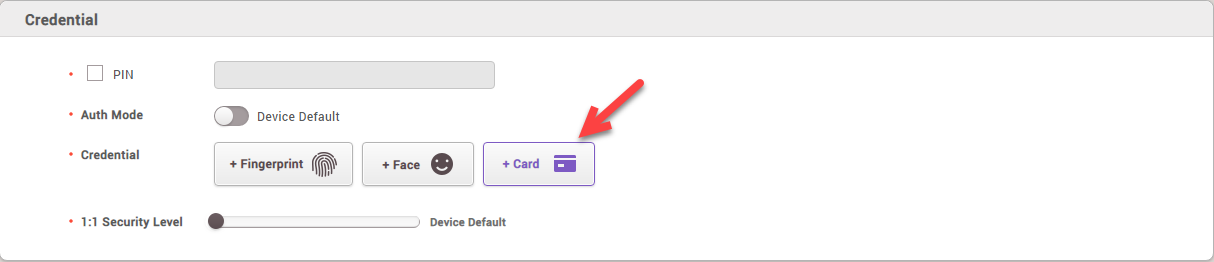
2.2 Section of materials used to identify employees, such as password, fingerprint, face, RFID Card
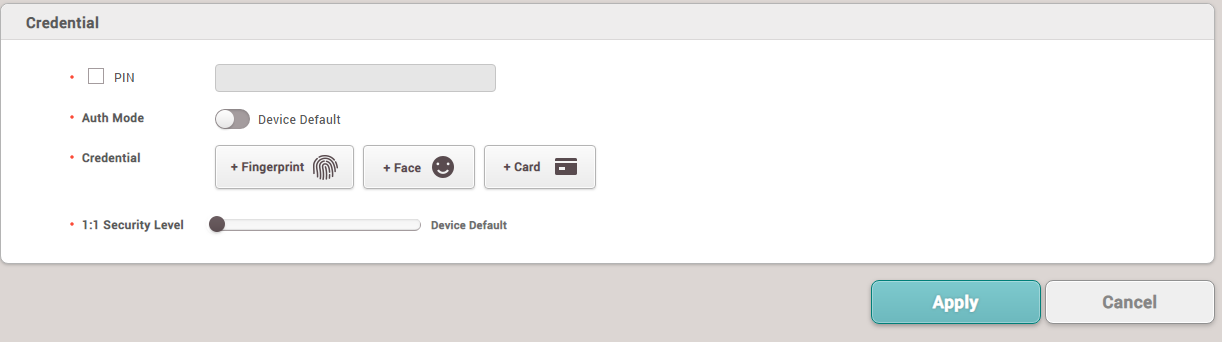
Example of filling in employee details
How to add a Card to the system
1. Select the '+ Card' menu to enter card details
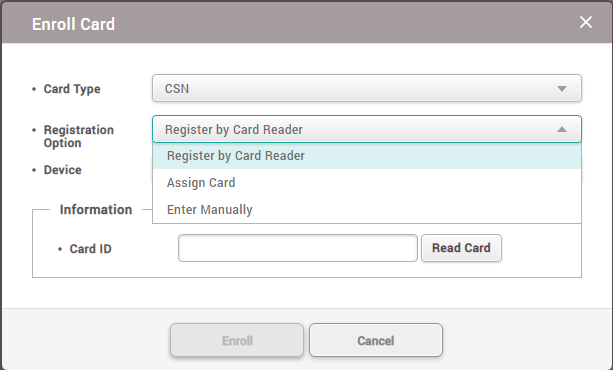
2. The program will display the Enroll Card menu to register the card with the employee by selecting the Registration Option > Enter Manually
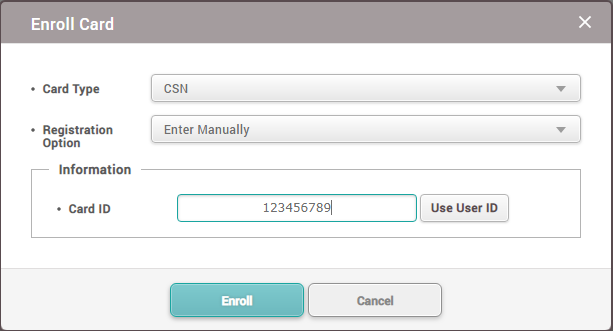
3. Enter the card number, such as '123456789' and then press Enroll
4. The program displays a screen after adding the card to the system, then press the Apply button to confirm adding the employee to the scanner device system
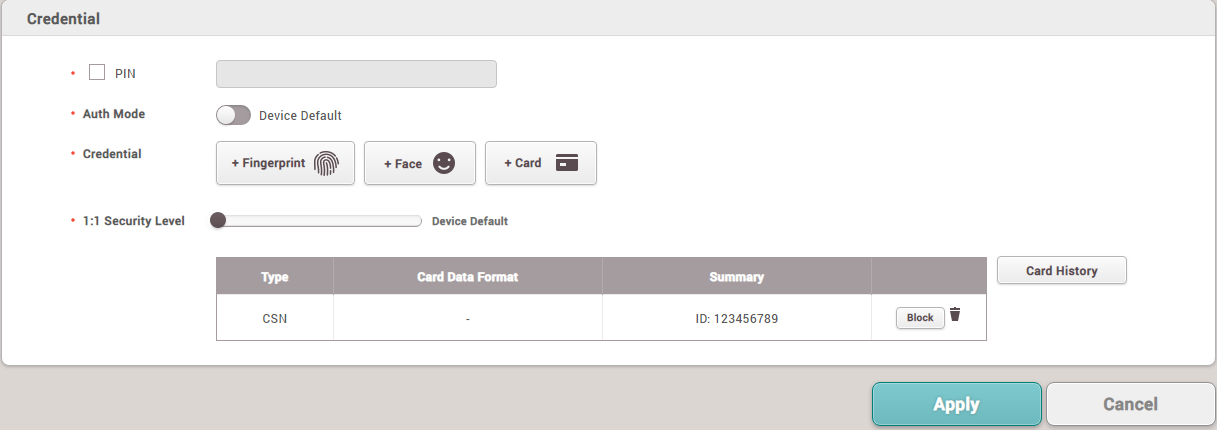
5. Successfully added the employee to the system