How to Back Up Data
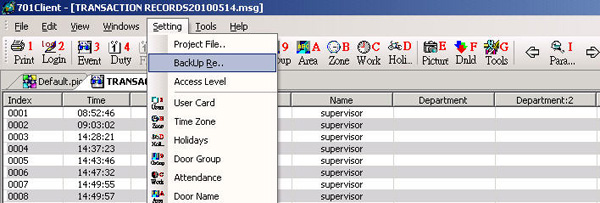
Go to the Setting menu and select Back Up Restore
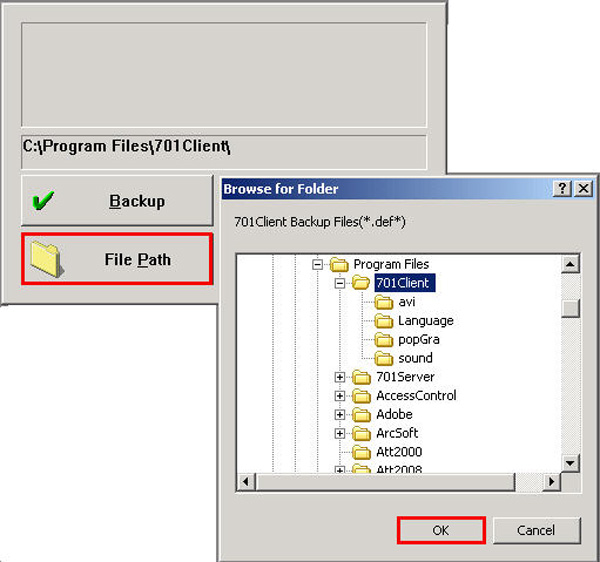
Then press the File Path button and select the storage location and press the OK button
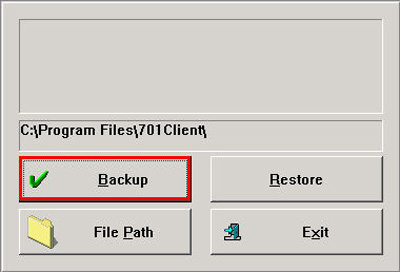
Then press the Backup button
Go to the Setting menu and select Back Up Restore
Then press the File Path button and select the storage location and press the OK button
Then press the Backup button