How to Backup Database
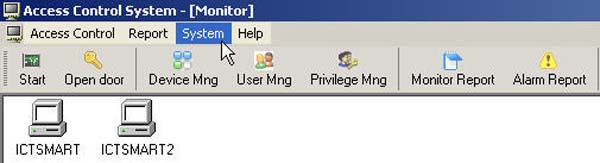
- Go to select the System menu
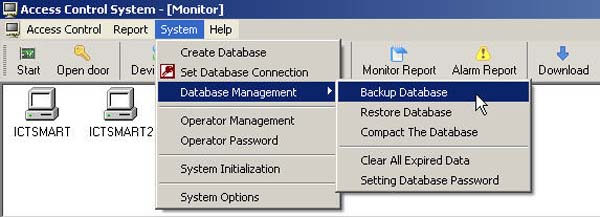
- Then go to select Database Management and select Backup Database
- Select the location where you want to store the data
- Then click the Backup button
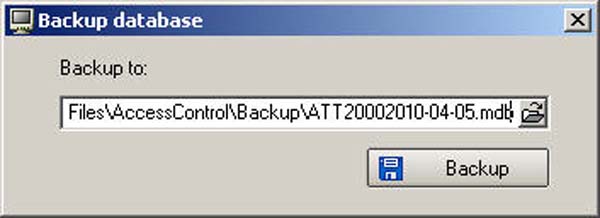
- The database that has been backed up will be output in the Access00 file