How to Change Company Name and Add Departments in the Program
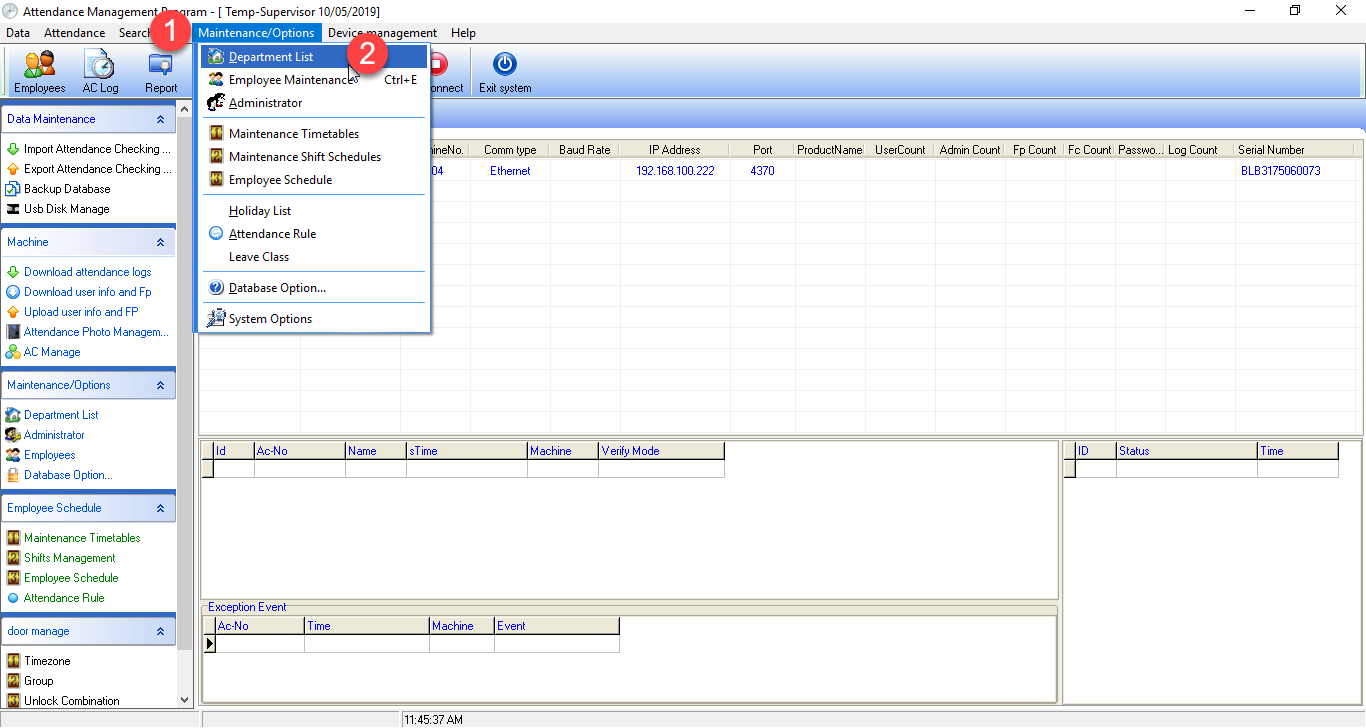
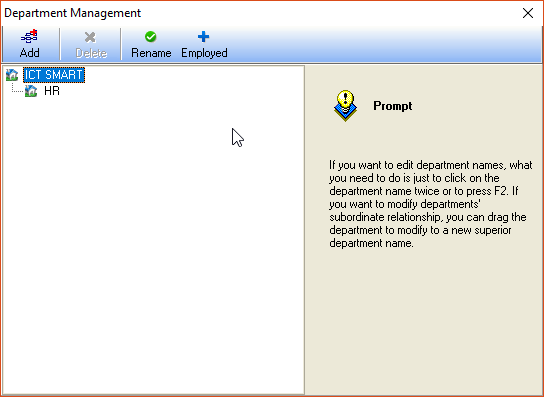
1. Select from the menu Maintemance/Options > Department List
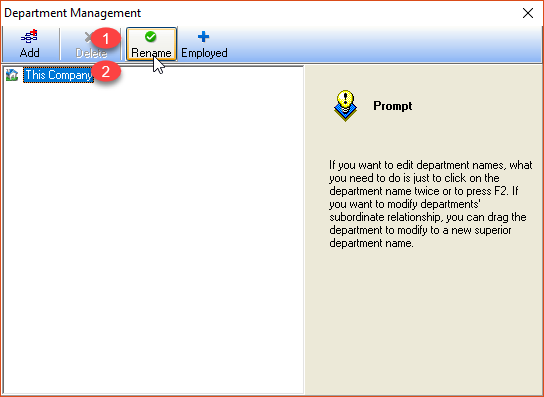
2. The program will display the Department Management menu page, click on the heading Our commany > and select Remane to change the company name
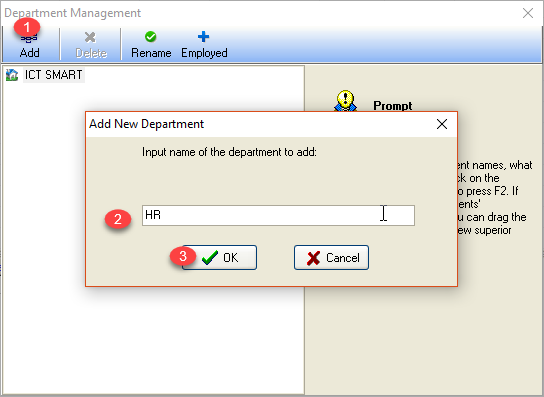
3. Enter the company name then click OK, then click Add to add a department
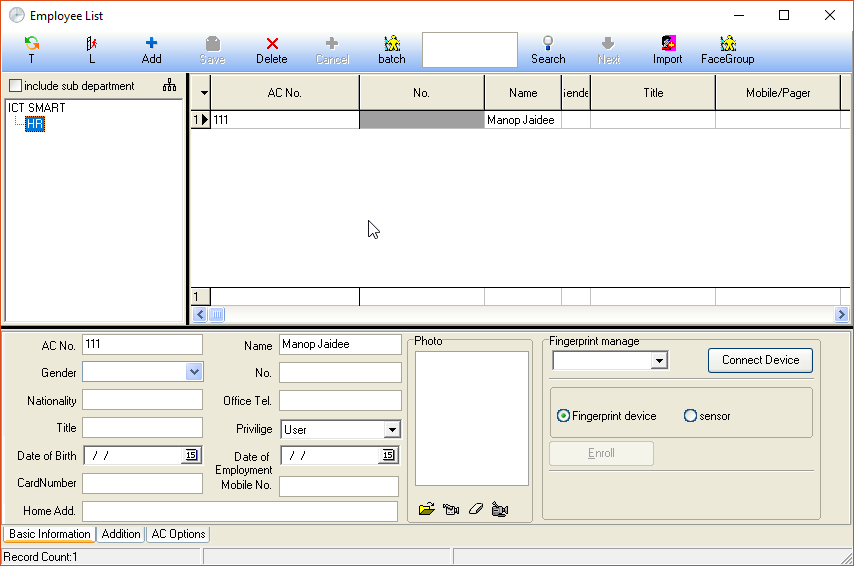
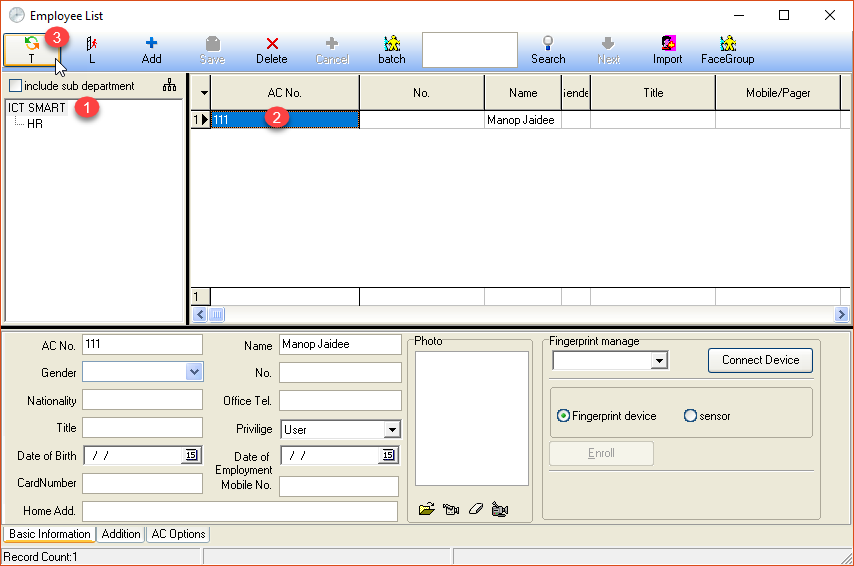
4. Go to the Employee menu to move the department of the user
Department transfer window
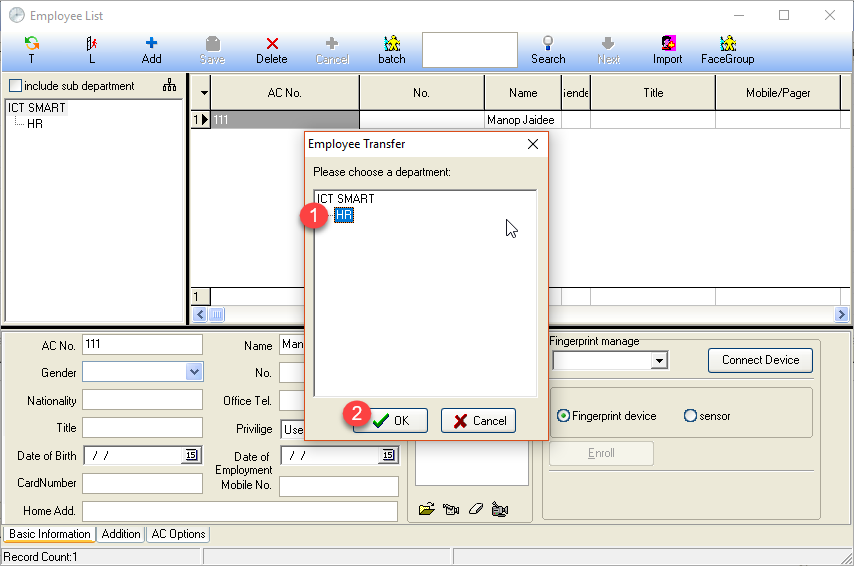
When you have selected the department, click the OK button