How to Configure Date and Time Format for ZK Software
How to set up Date and Time Format to support the ZK Attendance Manager program
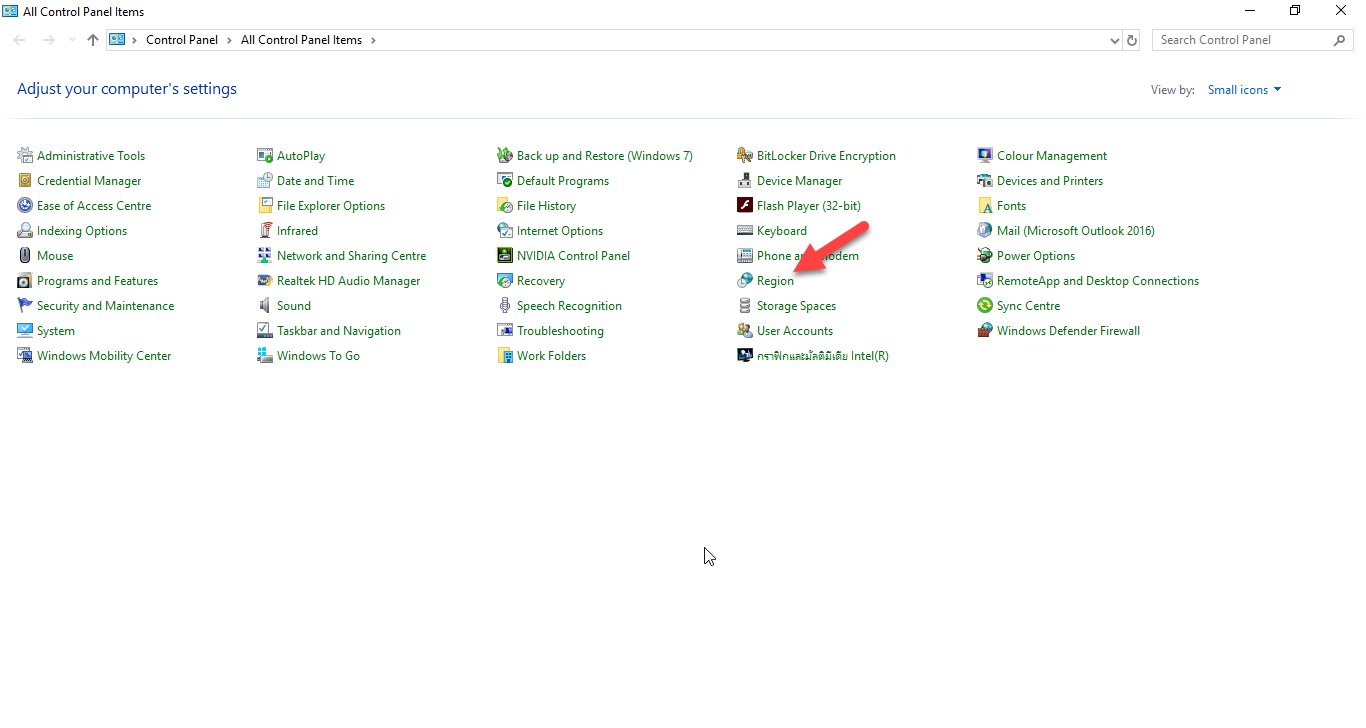
1.Select the Control Panel menu and then select the Region menu
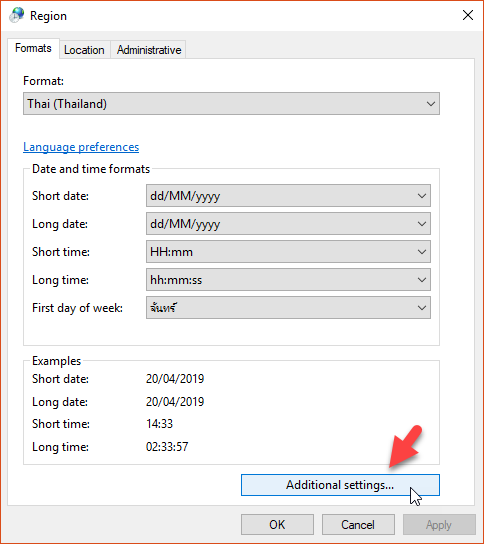
2.Select the Additional Settings option
3.Select the Date option to set the Date Format. The date system that the Software can support is the Gregorian calendar
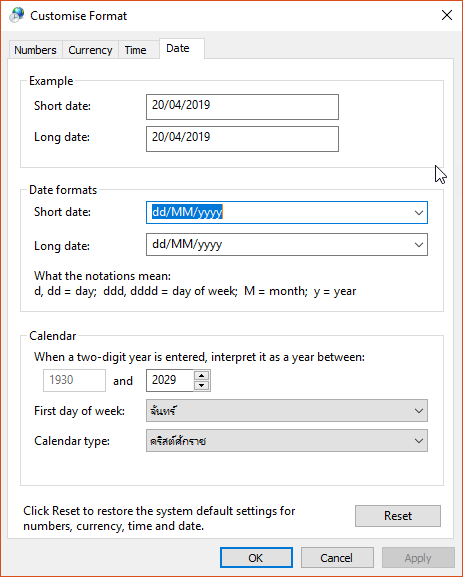
Short date use dd/MM/yyyy
Long date use dd/MM/yyyy
Calendar type select Gregorian calendar
When the settings are complete, click the OK button
4.Select the Time option to set the time format
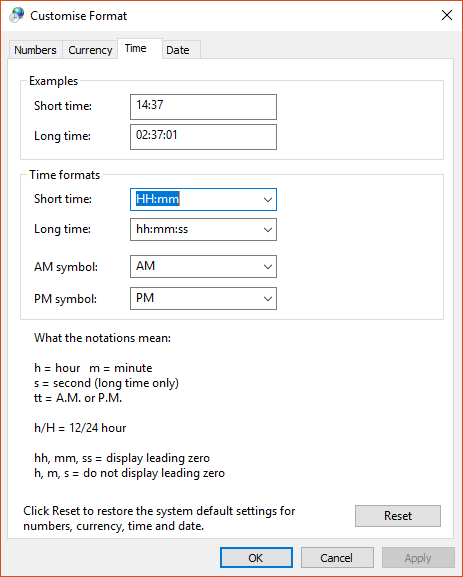
Short Time enter HH:mm
Then click the OK button
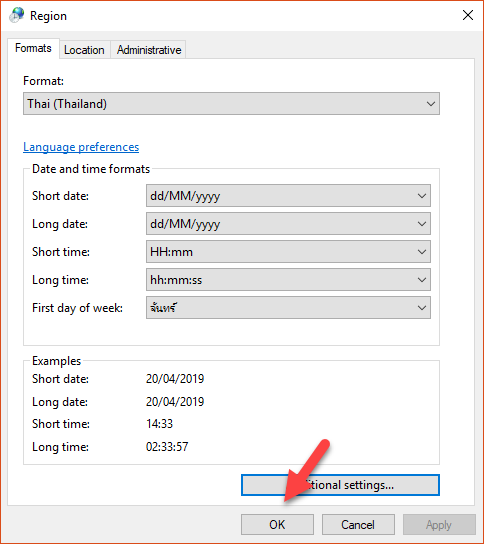
5.When the editing is complete, click the OK button again on the Region menu page