How to Configure Email Export Settings
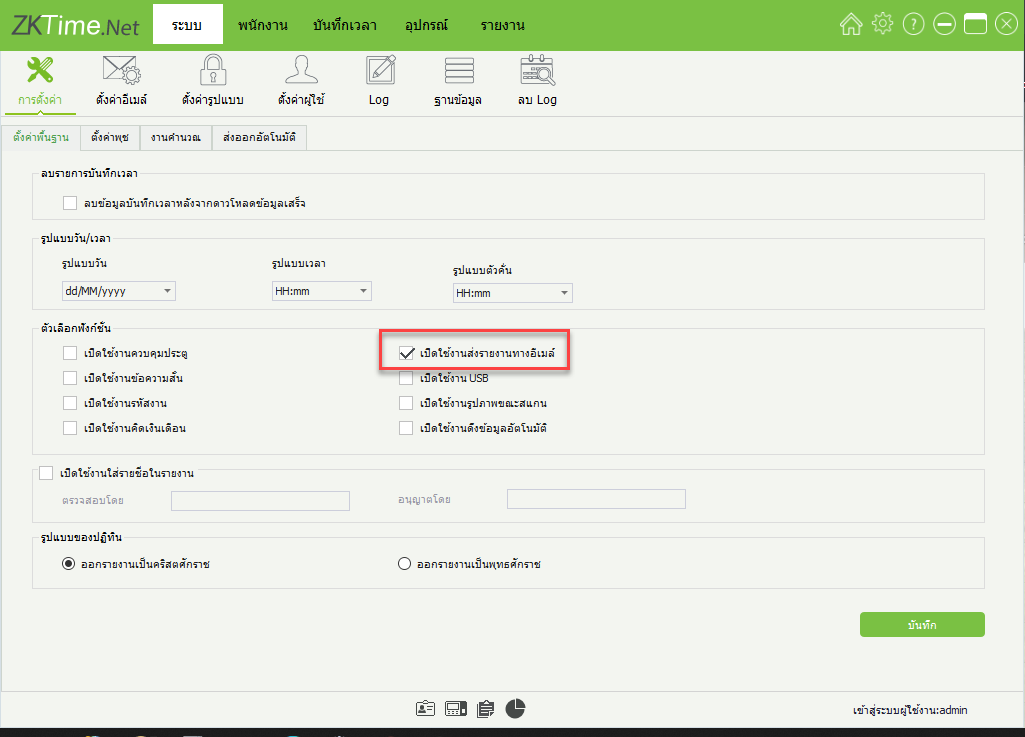
1.Click on the System menu > Enable email report sending
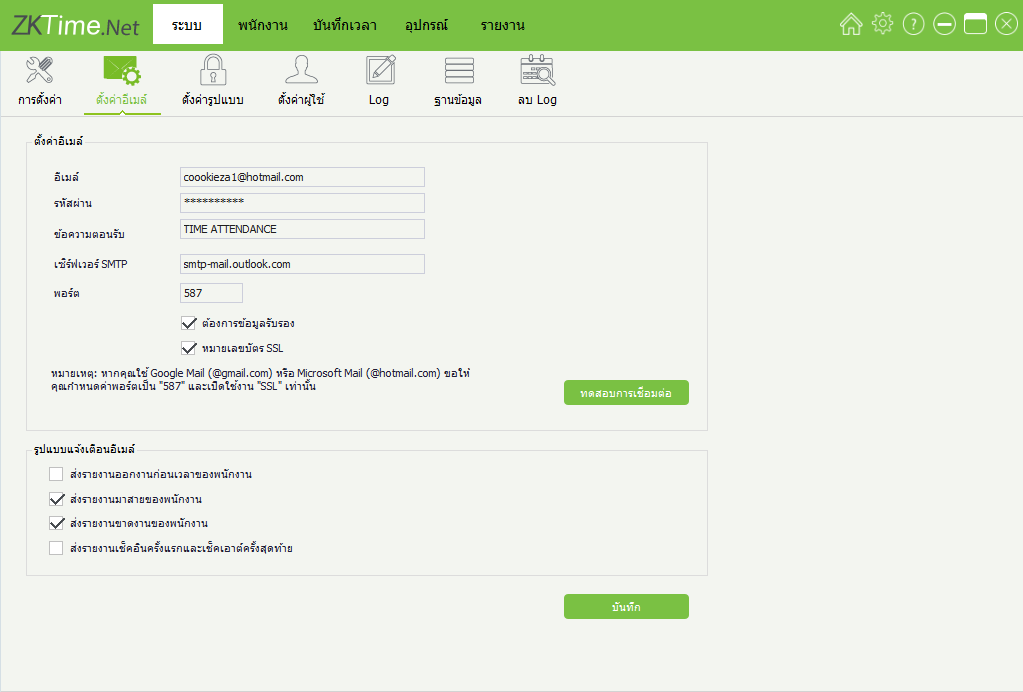
2.Click on the Email Settings menu, enter the email details, password, and click Test Connection
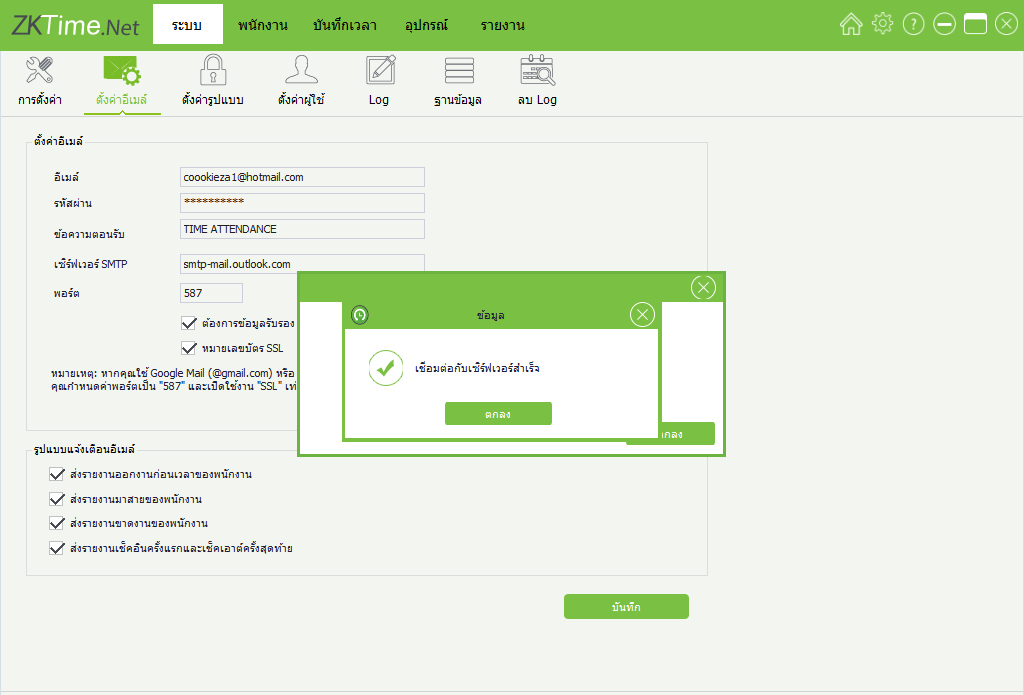
3.Email connection successful
1.Click on the System menu > Enable email report sending
2.Click on the Email Settings menu, enter the email details, password, and click Test Connection
3.Email connection successful