How to Delete Administrator on Scanner Front Panel
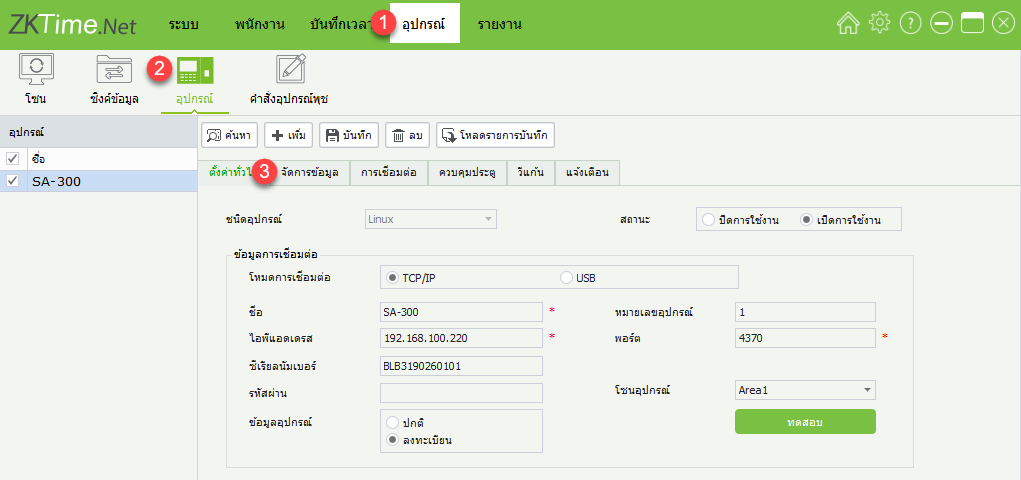
1.Click on the menu Device > Device > Manage Data
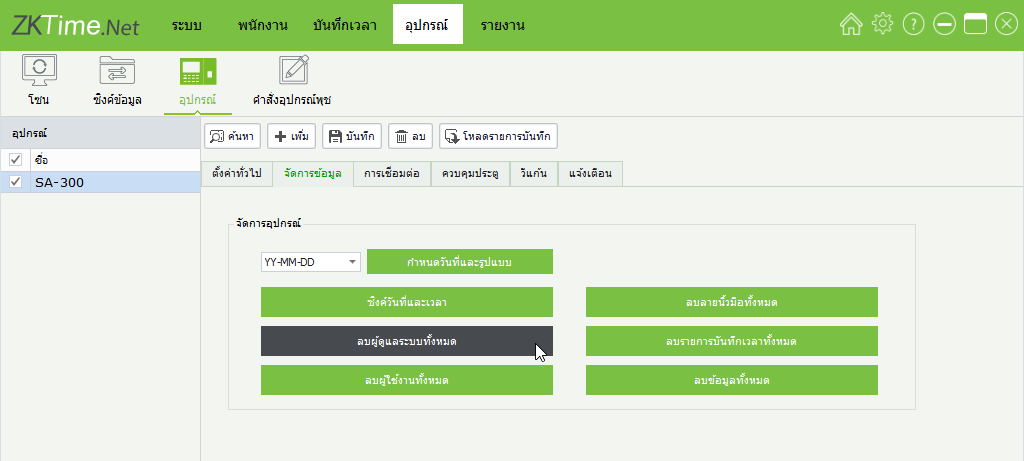
2.Click on the menu "Delete All Administrators"
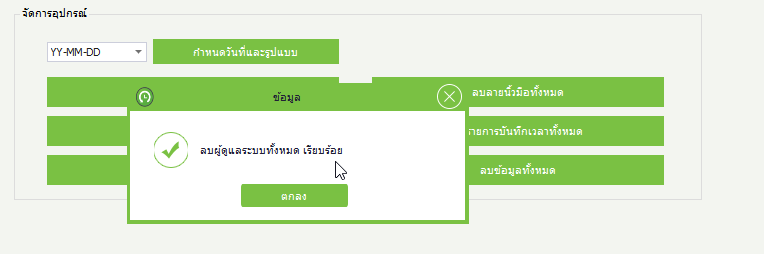
3.The window displays the successful deletion of administrator data
1.Click on the menu Device > Device > Manage Data
2.Click on the menu "Delete All Administrators"
3.The window displays the successful deletion of administrator data