How to Delete User Data and Fingerprints from Scanner Device
- Select from User Mng menu
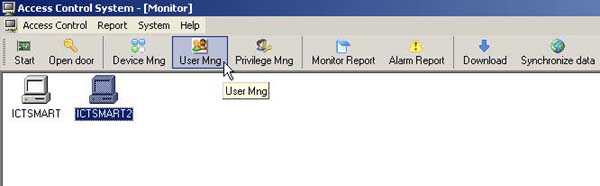
- Check the checkmark next to the user you want to delete
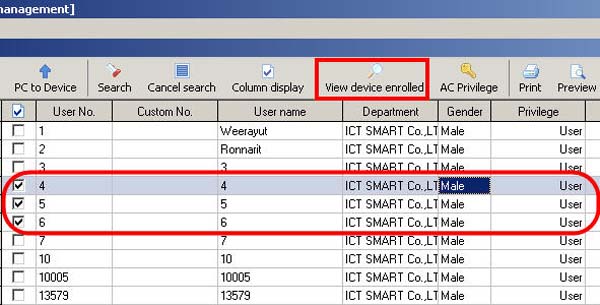
- Check the checkmark next to the user you want to remove from the scanner device
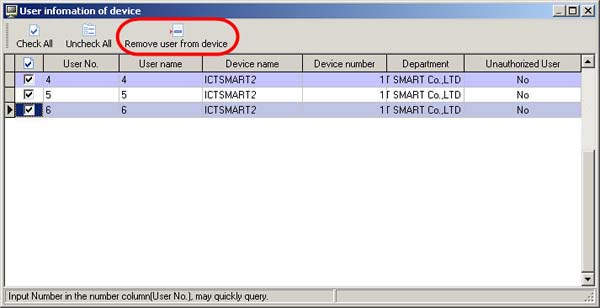
- Then select Remove user from device to delete the user from the scanner device
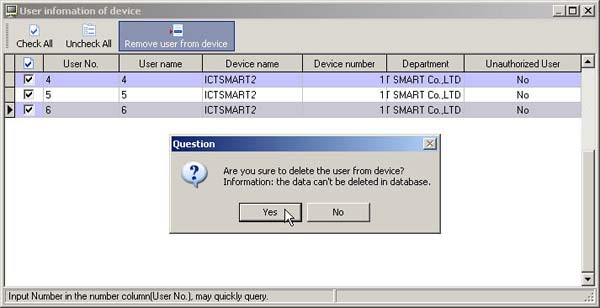
- The program will ask if you want to remove the user from the scanner device
- Click Yes to confirm the deletion of the user from the scanner device