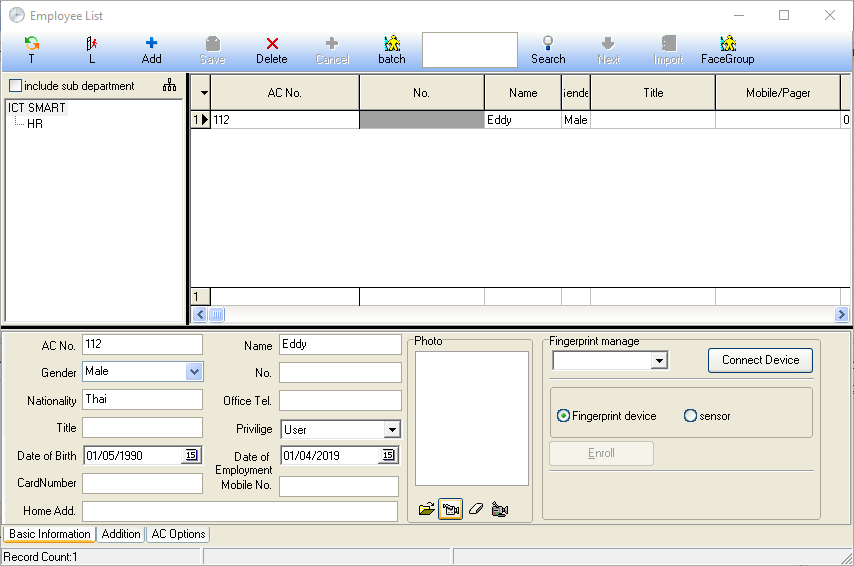
How to Enter Employee Details
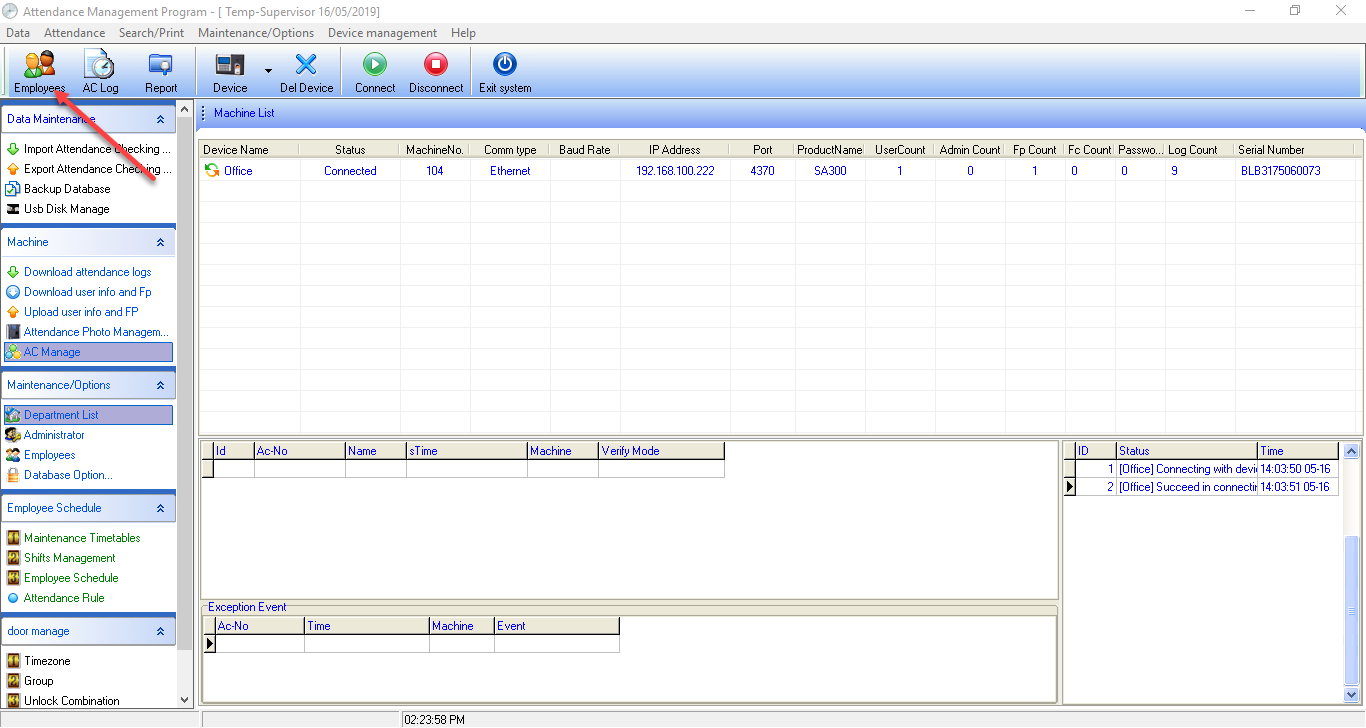
1. Select the Employee section to enter employee information
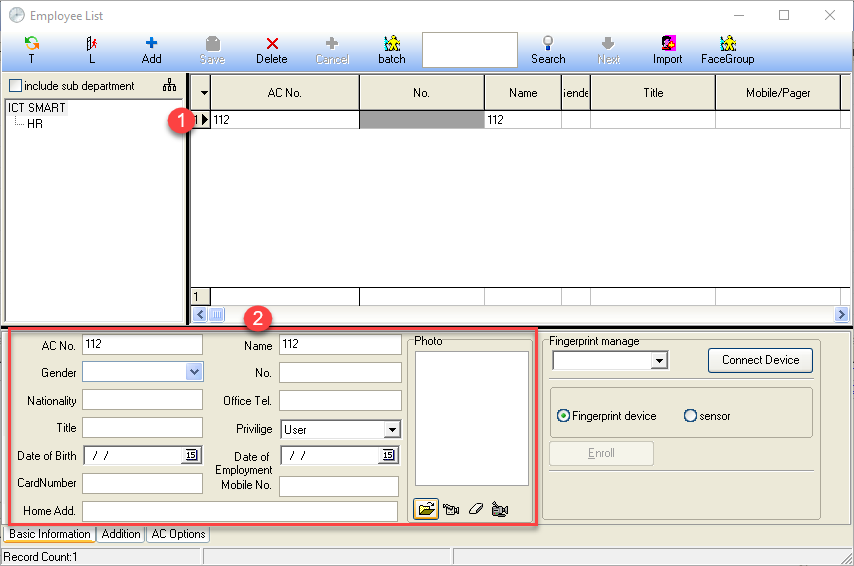
2. Select the employee whose details you want to edit. The red box will display the details that can be edited for the employee such as name, gender, photo, and date of birth
Note: AC No. must not be edited under any circumstances
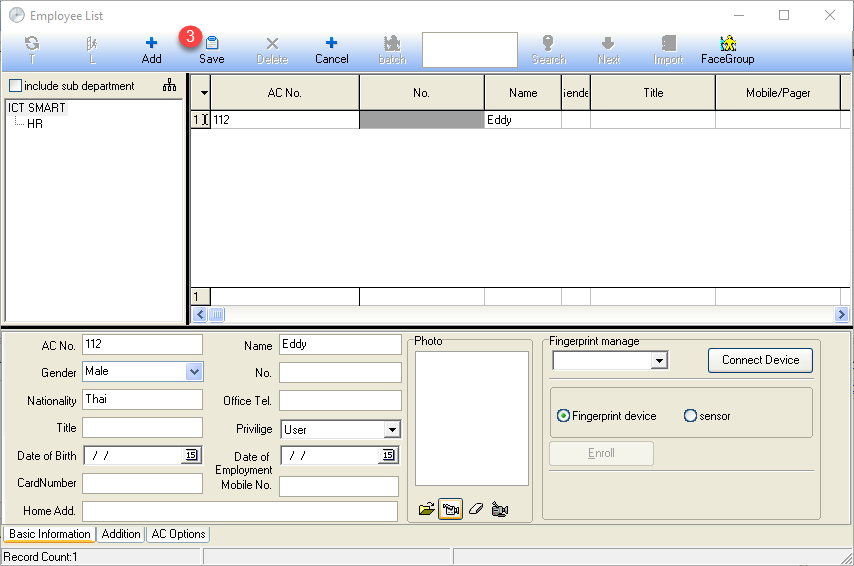
3. Complete entering the employee details and click the SAVE button
Employee details are displayed on the menu page