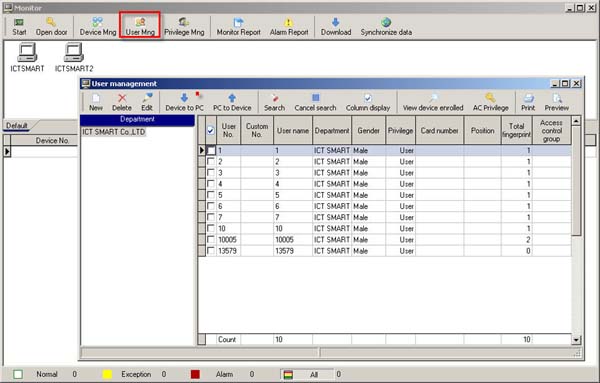
How to Extract User Data and Fingerprint Information
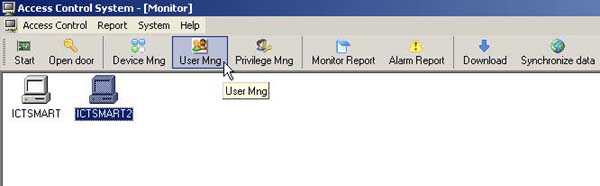
- Go to the User Mng menu
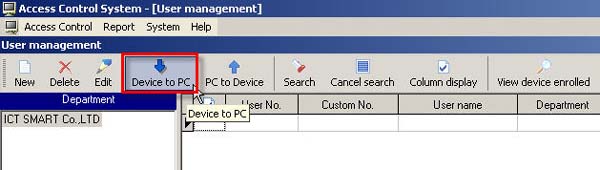
- Select the Device To PC menu
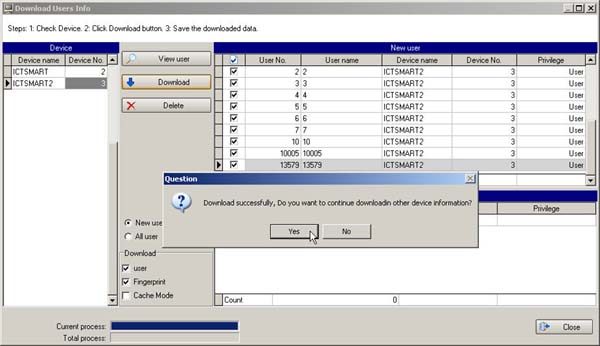
1. Select the scanner device you want to retrieve data from
2. Click the View User button to view the list of users on the scanner device
3. Check the checkmark next to the user names you want to retrieve data from the scanner
4. Then click the Download button
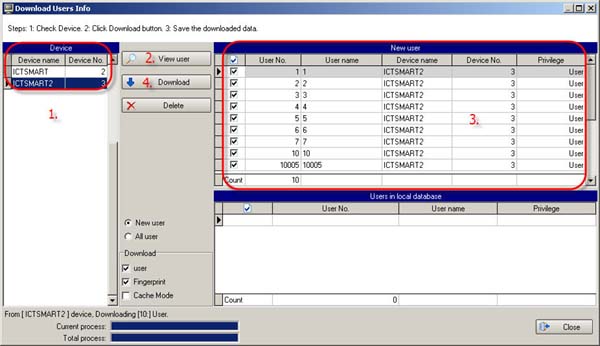
- The program will then display a message that the data download is complete. Do you want to download data from another scanner? If yes, click the Yes button. If no, click the No button
- When finished, go to the User Mng menu to verify the user list
The user list that was retrieved will be displayed on this page