How to Select a Database
How to Select Database
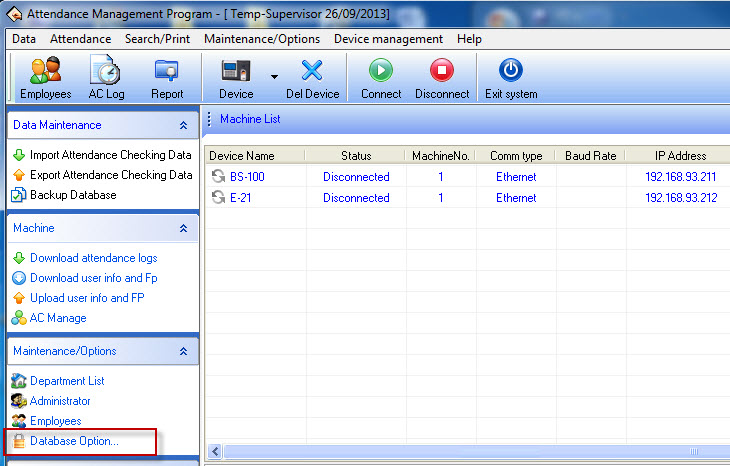
1.When you open the program, select Database Option…
2.Click on the ellipsis to select the database storage location
After selecting the database, click Test Connection to test the connection
(Default Program will be located at C:\Program Files\Att2008\att2000.mdb)
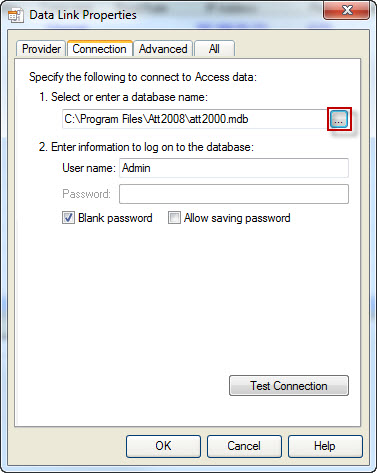
Then click OK to complete the database selection process