How to Send User Data to Scanner Devices (Batch Mode)
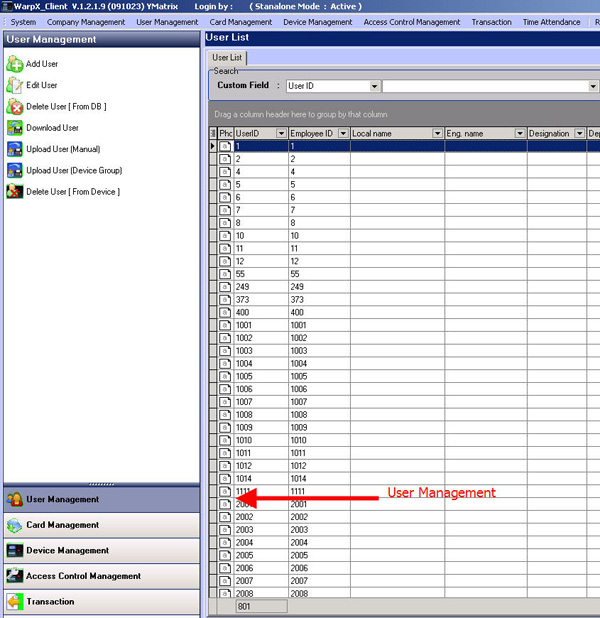
Go to User Management menu
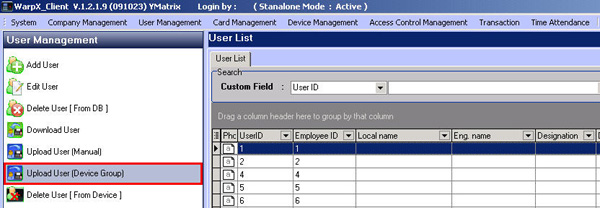
Select Upload User (Device Group) menu
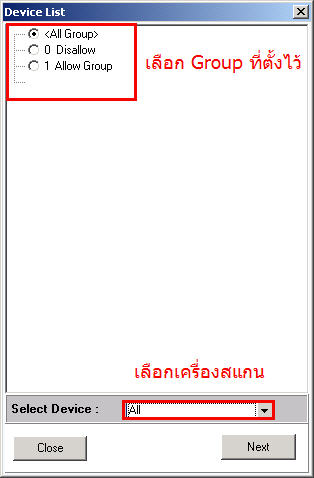
Select the Group for scanning entry and exit through the door
Then select the device you want to send to and click the Next button
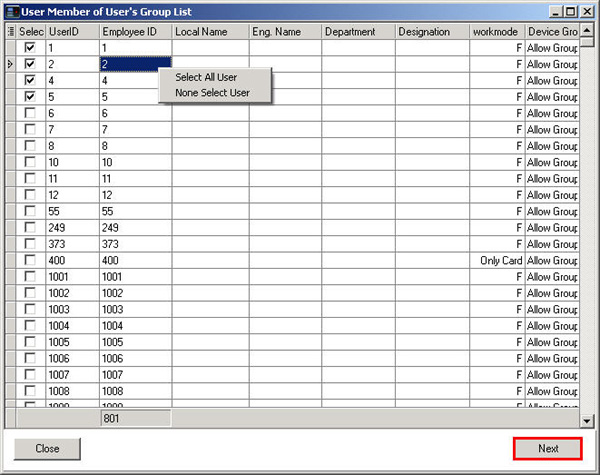
Then select the user you want to send. If you want to select all, right-click and select Select All User
To select specific people, select None Select User and then check the checkmark next to the user name, then click the Next button