How to Send User Data to the Scanner Device
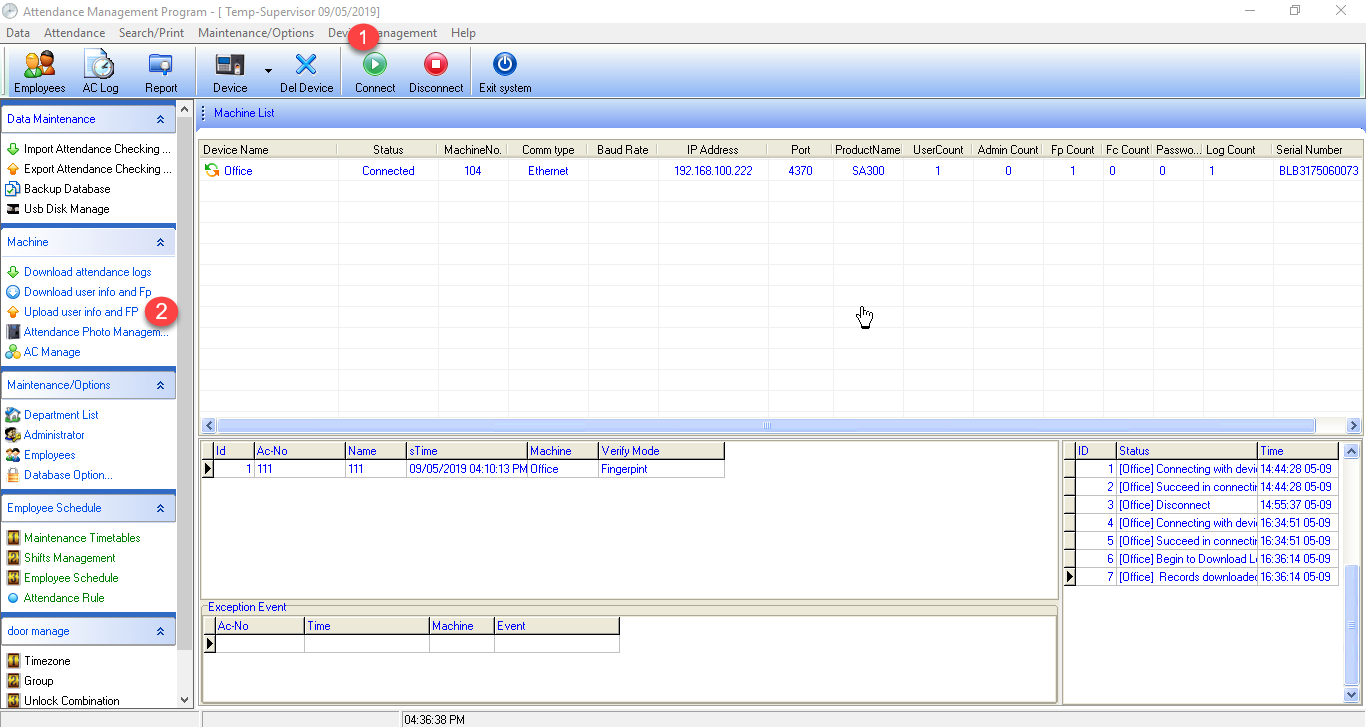
1. Click to connect the device. Connect if you can connect the scanner, a green and orange arrow will appear. When the device is connected, click the menu "Upload userinfo and FP"
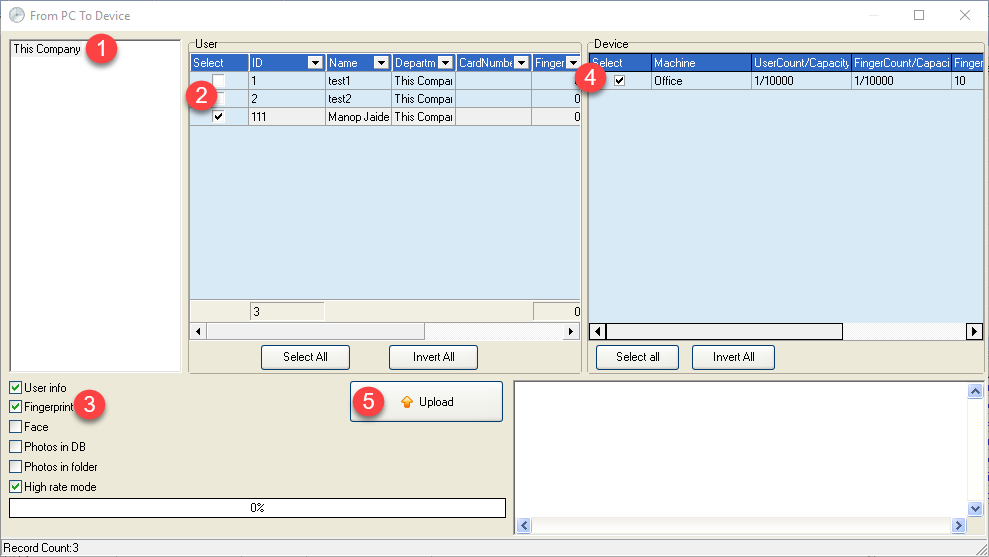
2. Select from the company list (Our company) and then select the user ID you want to send to the scanner **Don't forget to check the checkmark in front of the Fingerprint section to send the employee's fingerprints, then click the Upload button to send the data
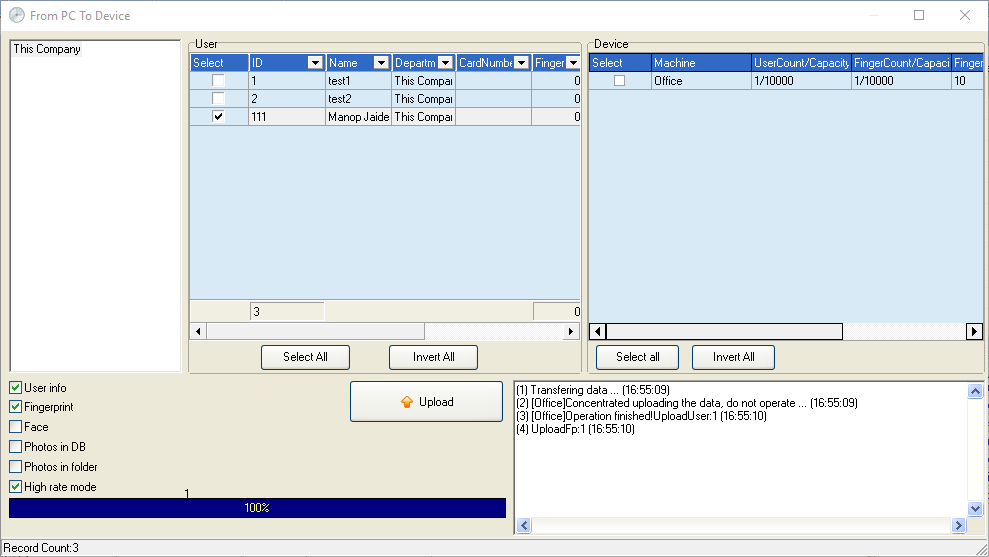
3. Data sent successfully