How to Set the Lock Schedule and Various Door Alert Sounds
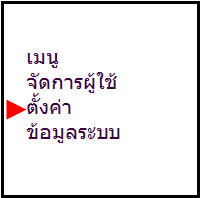
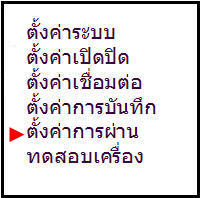
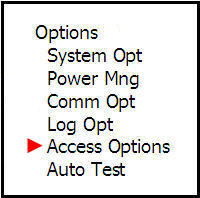
Press the Menu button on the scanner and scroll down to the Settings menu
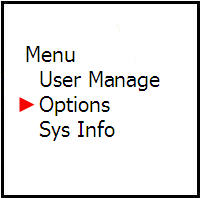
Then scroll down to the Pass Settings menu
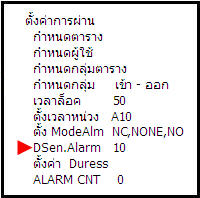
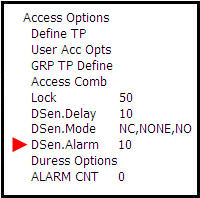
Lock Time menu 50 equals 2 seconds until the lock engages
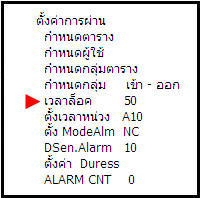
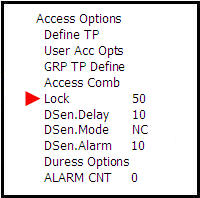
Time Delay menu is used to set the duration for keeping the door open before the alarm on the scanner sounds
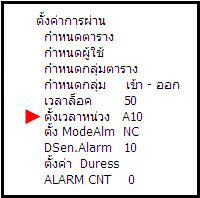
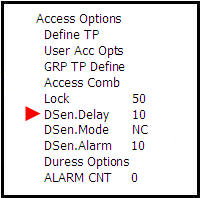
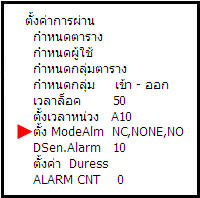
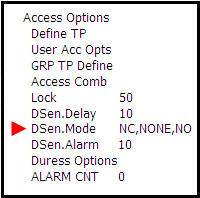
ModeAlm menu is used to set the Sensor NC, which means if the Sensor at the door is far apart, the alarm on the scanner will sound
NO means if the Sensor at the door is closed together, the alarm on the scanner will sound
NONE means if the door is left open for any amount of time, the scanner will not produce an alarm sound
DSen.Alarm menu is for setting the duration of the Buzzer sound, specifying how long you want it to last
Following the scanner sound, for example if you set DSen.Alarm to 10 seconds and set the Time Delay to 10 seconds, combined they total 20 seconds
then the Buzzer will sound