How to Set Time on Device via Software
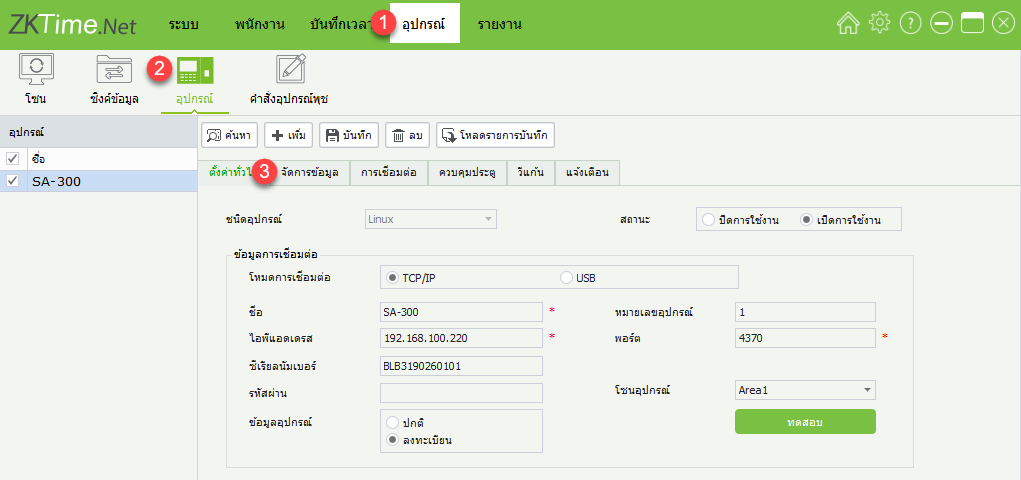
1. Click on the menu Device > Device > Manage Data
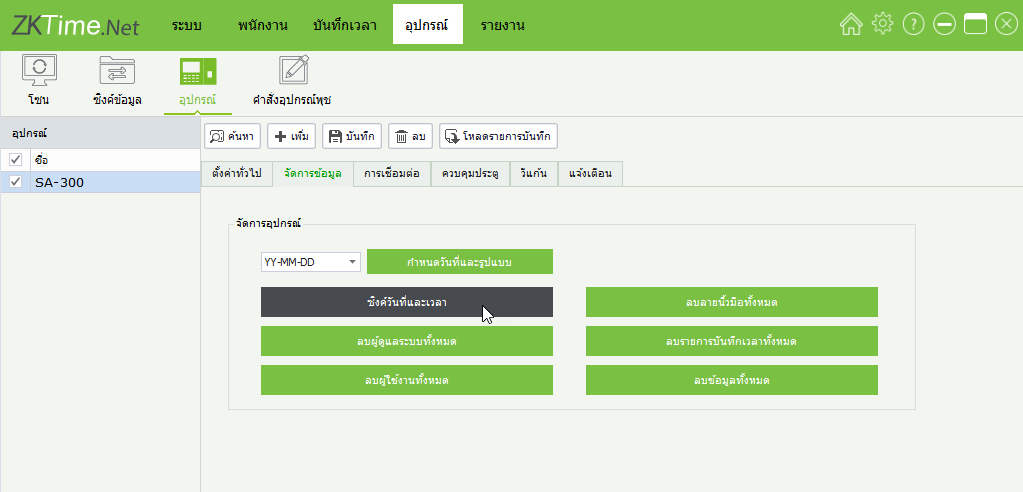
2. Click Sync Date and Time to set the date and time of the scanner to match the computer
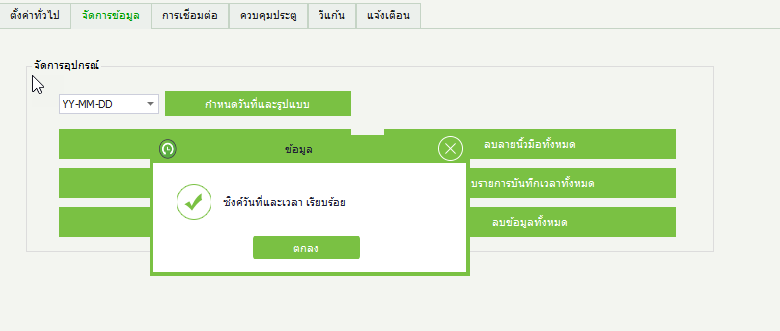
3. Window showing the operation completed
1. Click on the menu Device > Device > Manage Data
2. Click Sync Date and Time to set the date and time of the scanner to match the computer
3. Window showing the operation completed