How to Suspend Access Control Permissions for Users
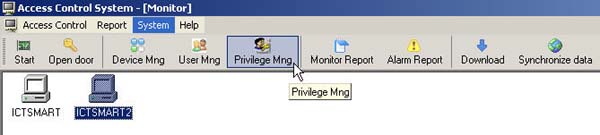
- Select Privilege Mng from the menu
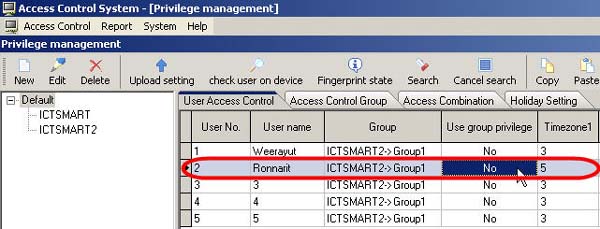
- Double-click on the user list
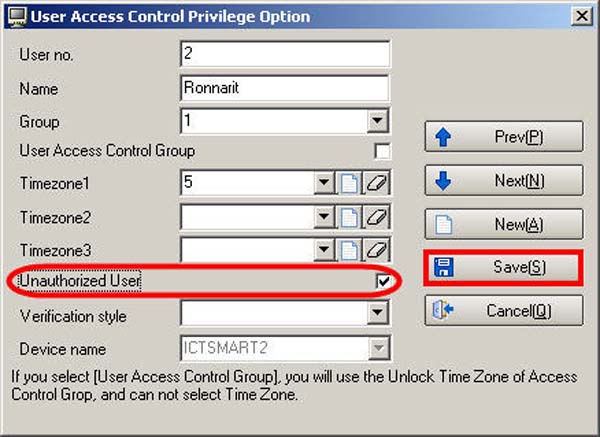
- Check the checkbox at the Unauthorized User section
- Then click the Save button
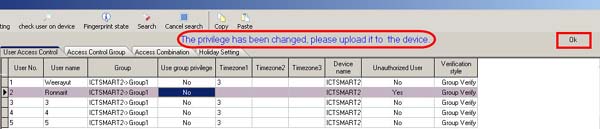
- A warning message will appear asking you to upload data to the scanner device, click OK
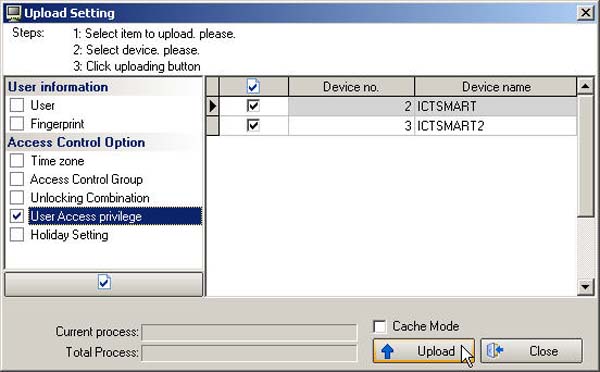
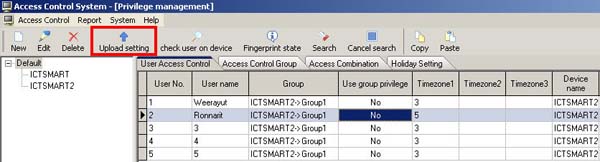
- Click the Upload Setting button
- Check the checkbox at the User Access privilege section
- Check the checkbox to select the scanner device to which you want to send the access privilege change data
- Then click the Upload button