How to Suspend Employee Access
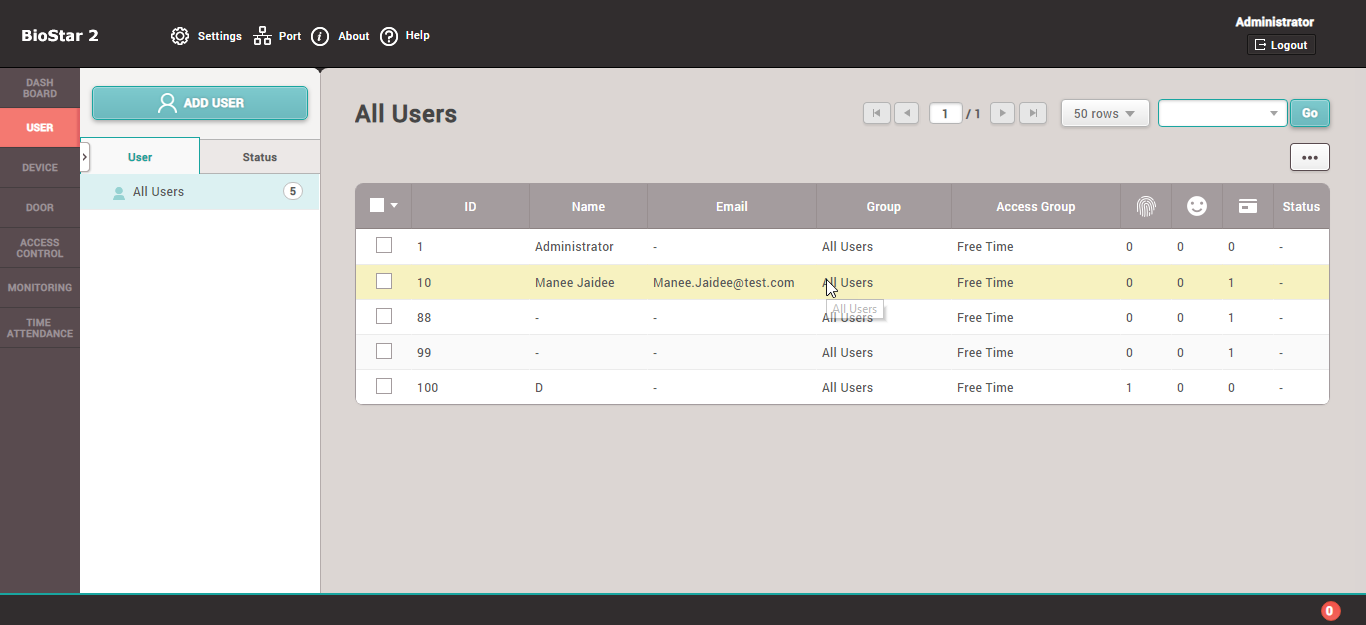
1. Select the employee you want to deactivate
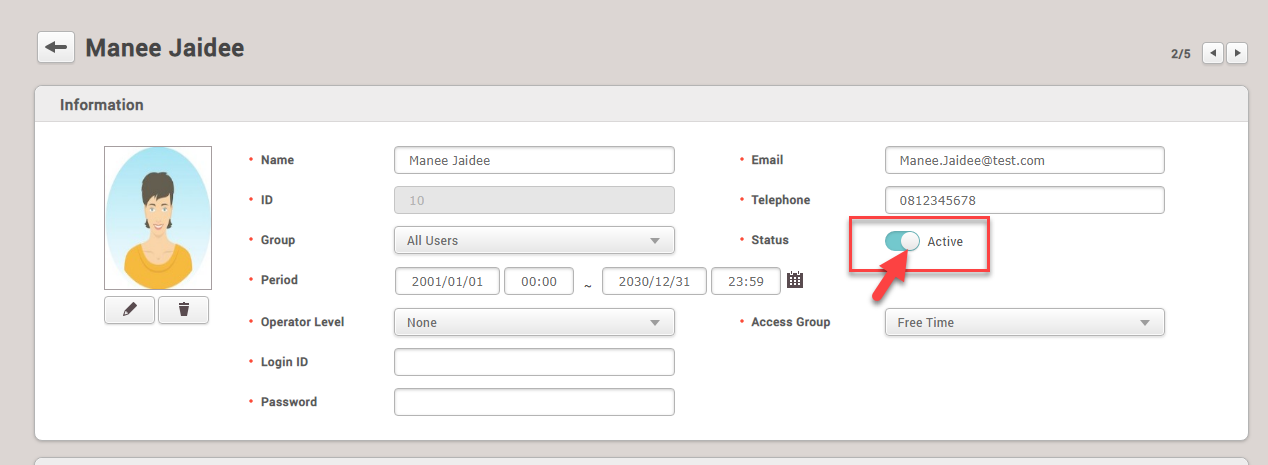
2. In the Status section, click once on Active. The menu will change to Inactive
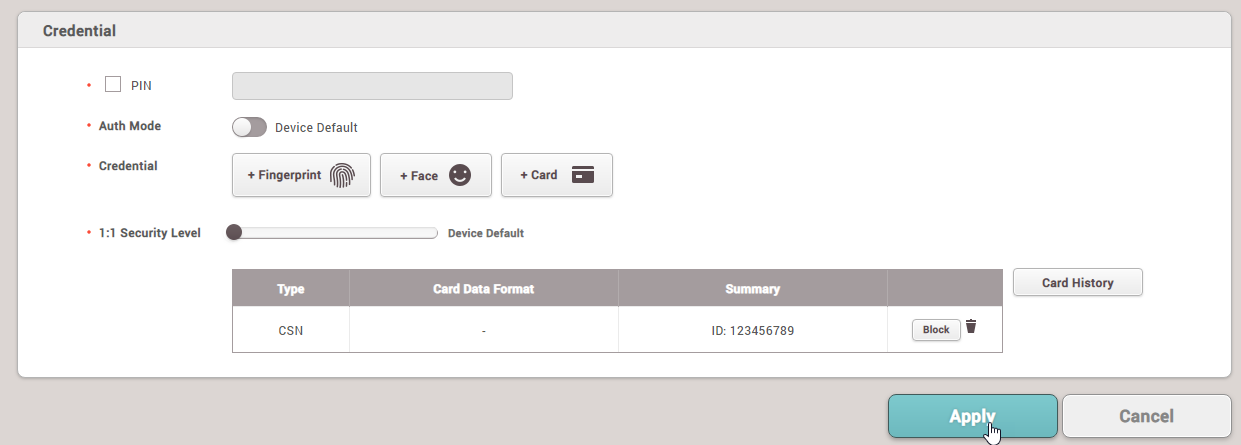
Then click Apply
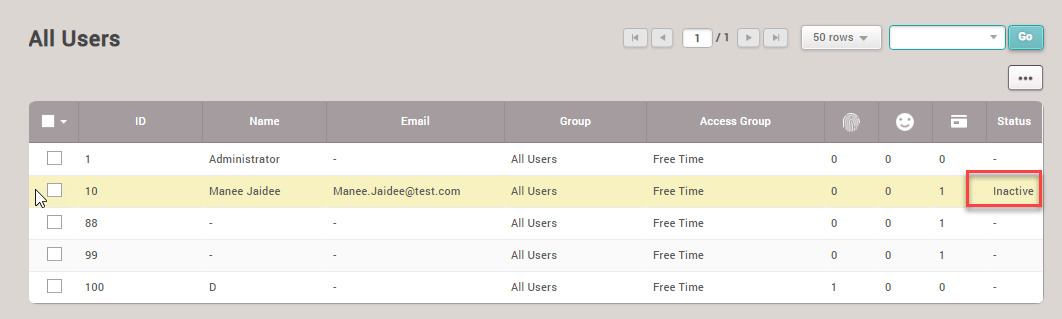
4. The employee's status will be changed to Inactive (access suspended)
1. Select the employee you want to deactivate
2. In the Status section, click once on Active. The menu will change to Inactive
Then click Apply
4. The employee's status will be changed to Inactive (access suspended)