How to Synchronize the Time Settings on the Scanner Device with the PC
Go to Device Management menu
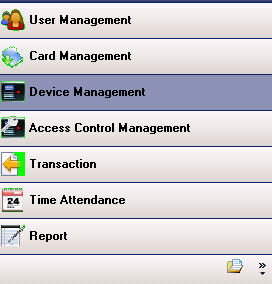
Then you will see a list of scanner devices. Right-click on the scanner device name
and select Syn Clock To PC to synchronize the scanner's time with the PC
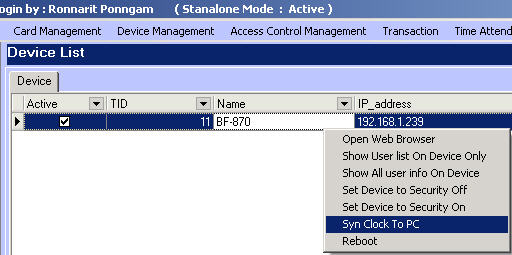
You can also configure other settings such as
Open Wab Browser = used to open the web-based interface of the scanner
Show User Lst on Device Only = view the list of users in the scanner
Set Device to Security Off = command to unlock the door lock
Set Device to Security on = command to lock the door lock
Reboot = command to turn off and restart the scanner