How to Transfer Employee to Another Area
1. Select the Personnel > Organization > Area menu
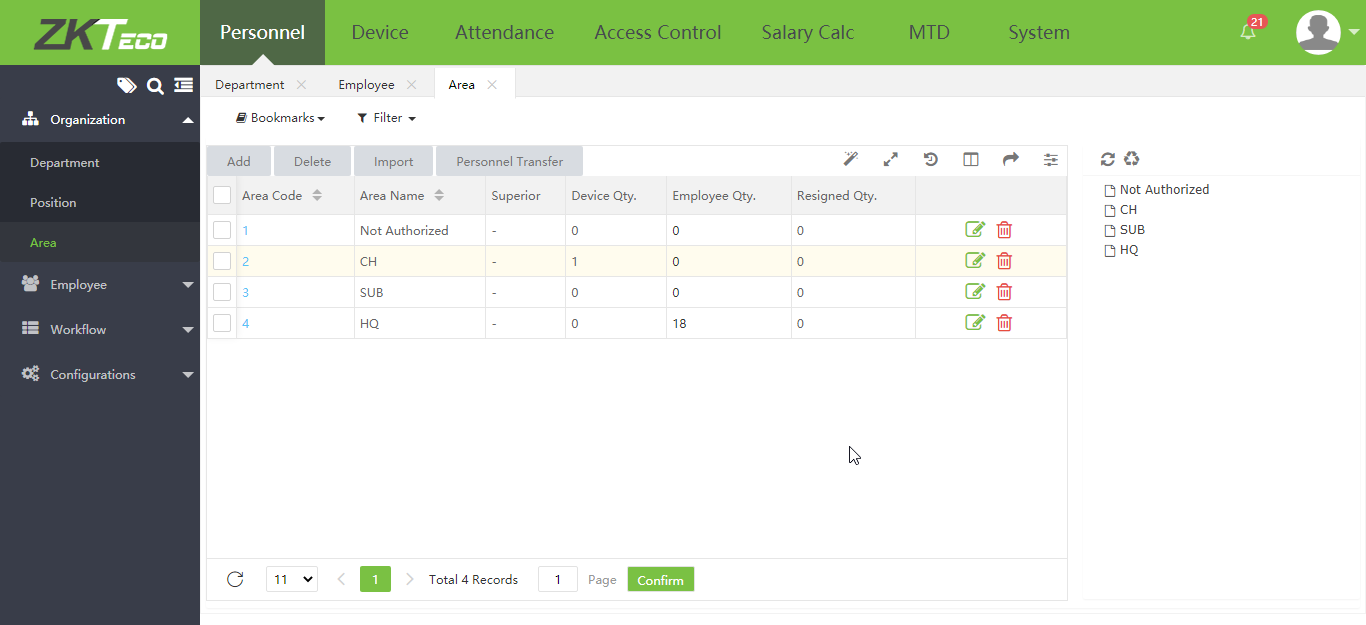
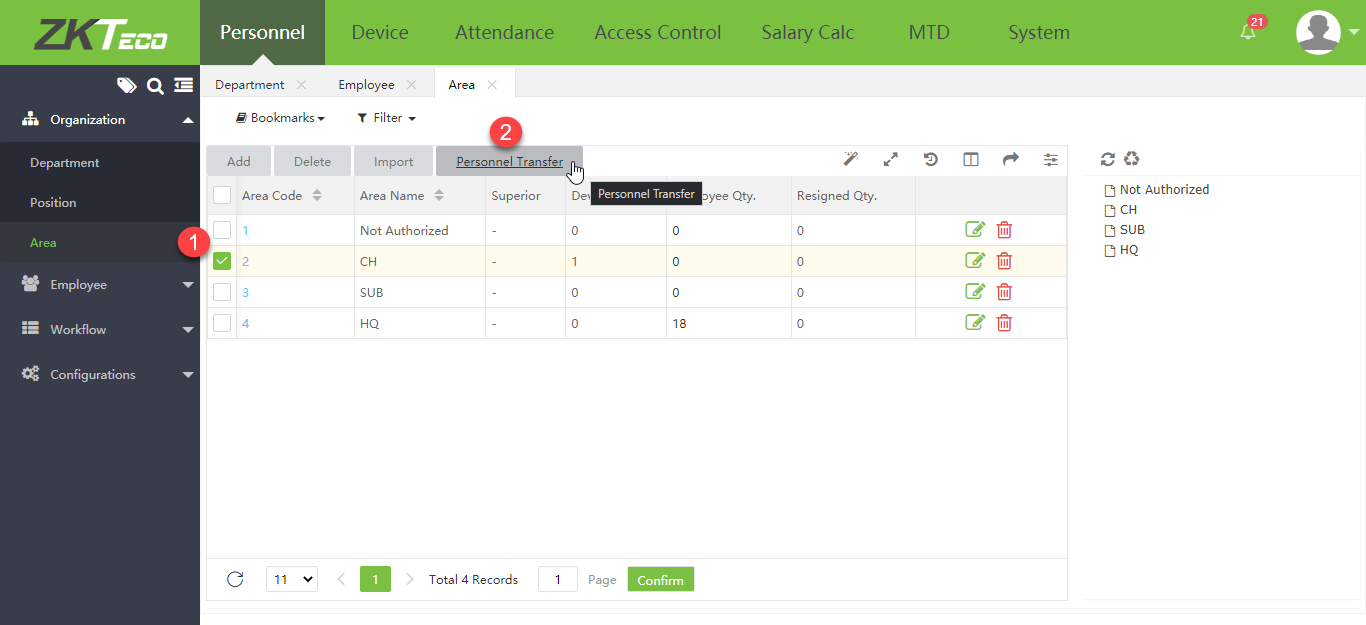
2. Select the Area that you want to transfer employees from, then click Personnel Transfer
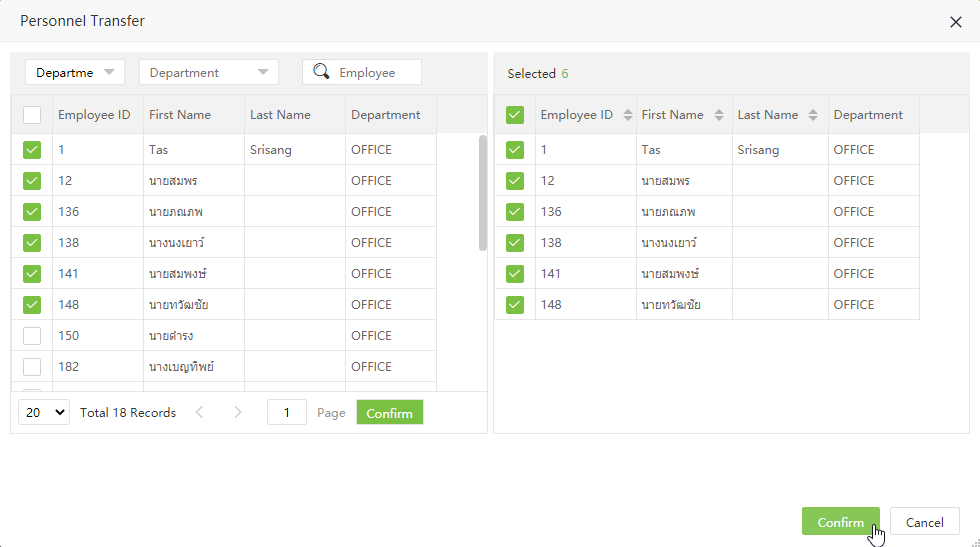
3. Select the employees you want to transfer to another Area, then click Confirm
4. Employee Area transfer completed